• Skip to content
logo logo
  • Blog
Login SIGNUP

HushApp Team

8 reasons why you should use HushApp in your day to day

November 27, 2018 by HushApp Team

8 reasons why you should use HushApp in your day to day

We have talked a lot about Hushapp and how it can help you in different aspects of your work. Now we want to show you that our application not only serves for labor issues, it can also be present in your day to day activities to add more protection and security to your digital life in a very simple way. Therefore, here are 8 very simple examples of how you can use HushApp in your everyday.

Basic uses: easy and safe

  1. Every day we accumulate more and more information, and need to find a safe place to store it. With HushApp this problem is easily solved because you can store data on your mobile device, keeping it handy and protected. HushApp easily secures all your files with important information, such as bank data, passwords, personal documents, etc. If you need to send a file to someone, you can do it from the app and they will be protected from the time you send them until your recipients receive it.  
  2. It is not only about protecting what we commonly consider confidential information, in HushApp you can store and send any type of file including photographs, videos, audio, etc. Remember that cyber attacks are becoming increasingly popular and anyone can be a victim. Suppose you lose your phone, if someone unwanted manages to access your device, they can not see anything within your HushBox, so your personal memories will be safe.

HushApp to protect your family:

  1. If we talk about photographs and privacy, surely the first thing that comes to mind are your precious family pictures. It is very common for parents to share those special moments with their little ones in social media for their birthdays, their first steps, when they said their first words and many more things. The issue lies in who can access the image of your kids, and what could they do with those files. When children have access to the internet, the danger is greater, since criminals take advantage of their innocence, they could contact them. Do not neglect yourself! Take charge and keep your minors safe by using safer alternatives like Hushapp to share these special moments.
  2. Children are getting smarter every day and frequently learning new ways to accessing your device. To prevent your children from accessing important files (for example your work documents and deleting them by mistake), keep them safe in your Hushbox and this will not cause you a unneeded headache with your boss 🙂
  3. As you take care of your children, you also can take care of your friends and aditional family, by capturing those special moments. Your Christmas photos, photographs, memories, etc. everything you can store and share with them (even if they do not have the application) is easily secured.

We do not want to know about your private life, we just want to protect it:

  1. Let’s be honest, everyone has secrets that they desire to be kept hidden. We are not all saints and we have a dark side, whatever it is, nobody can force you to expose your privacy. At HushApp we want to protect your private life, regardless what you do, because we have no way of knowing. We use zero knowledge technology therefore we can not access your files or your passwords.

Facilitate your work from home: 

  1. As mentioned previously, HushApp is clearly not just a business tool, however for the many times work does accompany us home, 
    Encryption is easy with HushApp!
    DOWNLOAD
    you might be asked to send documents to customers or suppliers. Or maybe you forgot something and decided to finish it out of the office. Or even you might be self-employed and work from home. HushApp is there to accompany you at all times. 
  2. If you are a fan of technology, and want to be at the forefront of everything that is the digital world, do not get stuck in the past. It is no longer necessary to have complex programs that only computers know how to use. Hushapp uses military grade encryption and even with such a complex system it remains super easy to use!

Encryption is easy …

We invite you to try Hushapp …

Filed Under: HushApp News Tagged With: encryption, HushApp, privacy, secure send files, send documents, send files, send files securely, share documents., share files, share files securely

What is a VPN connection and why should you use it on your devices?

November 20, 2018 by HushApp Team

What is a VPN connection and why should you use it on your devices?

VPN connections are becoming increasingly popular, they are no longer tools only used  in the business world, now, many people concerned about their security have begun to use this type of connection to protect themselves from cyber attacks. What is a VPN connection and what can it do for you?  

A Virtual Private Network, is a type of network in which an extension of a private network is created for access to the Internet. To explain it in a simple way, it could be said that it is an “invisible cable” that joins the user with another location, this cable is called a “tunnel”, and it is the channel where the information will travel when encrypted.

How does it work?

Normally when you connect to the internet, you do it with your service provider which will take you to the website you want to visit, but this information always goes your provider’s servers who have access to this information.

The VPN will allow you to connect with an encrypted connection, so the data you view can not be seen or decrypted by your provider, in this case it will appear that the VPN is the one that is connected to those sites, not your device.

Types of VPN networks

There are two types of VPN networks: client-based and network-based.

– Client-based VPN: Allows the user to connect to a remote network through an application. They create a username and password, next an encrypted channel is automatically created between the computer and the network, where the data exchange is executed.

– Network-based VPN: It allows the user to connect different networks to each other through the Internet. This type of VPN network is used by companies that have offices in different cities and parts of the world, in order to connect with each other and share information in a secure way.

Advantages of using it:

  1. You can access your company’s network safely if you are traveling, for example if you are at home you can see the company’s shared files from your device safely.
  2. With the VPN you can hide and protect your data because the data travelling is encrypted, therefore there will be no way to track your activity. It is ideal when you need to make a banking transaction where sensitive data is  handled. This option is the reason why it is recommended to have a VPN when it is necessary to connect to a public Wifi.
  3. Avoid censorship and geographic blocking: In many countries restrictions are placed on Internet information. It is possible that a web page only allows access if you are browsing from a particular country, and if you are not there you can not visit the site. With a VPN hosted in that country, it will appear that you are browsing from the same place where the website is located, so you can access the content without any problem. Similarly, if in the country where you are there are censored pages, you can connect to the VPN of another country to access that information.
  4. It works for all applications and websites, since it directs all internet traffic through its own channel.

Not everything that shines is gold …

Certainly the VPN network adds a layer of security that gives greater protection to your Internet connection, however, not everything that shines is gold. While browsing with a VPN, your browsing data remains incognito for your provider, but not for the company that manages the VPN.

Therefore you should not trust the security of your information only to this type of connection because if you fall into a dishonest company, they could keep records of your information or even sell it to the highest bidder. Therefore, the ideal action is to select the a VPN with the best reputation on the market.

There are many types of VPN connections on the web, while some are free others payment. To choose the proper one, it is important to take into account the speed, reliability and security offered by the service.  

Add more security to your files

No system is foolproof, the only thing you can do is add additional security layers to further protect your information. You can use other applications such as Hushapp when you want to share important documents through the internet. This application allows you to protect each file individually and easily. We also work with Zero Knowledge Technology, so we have no way to know your information or your passwords.

We invite you to try Hushapp …
Filed Under: HushApp Tips Tagged With: encryption, geographic blocking, HushApp, public Wifi, Virtual Private Network., VPN, VPN connection, VPN network, zero knowledge technology

Cyber crisis: how to manage a reputational crisis caused by cyber attack

November 13, 2018 by HushApp Team

Cyber crisis: how to manage a reputational crisis caused by cyber attack

We always think that it will happen to someone else, but finally it happened to you, you are the victim of a cyber attack. You arrived at that moment where your company suffers not only financial damages, but also negative publicity. Rumors begin and social networks are activated as an unauthorized information dissemination center, all while employees frantically nervous about their future work. This is a cyber crisis, how can a reputational crisis caused by a cyberattack be managed?

During any crisis there are three stages: before, during and after. At all times, the important thing is that the company knows how to deal with them. In the particular case of cyber attacks, it would be advisable to do the following.

The before: better to prevent than to regret

In the past it is not just about being careless because you believe that nothing will happen, it is being aware that it has not happened yet, but at any moment it could. Cyber ​​attacks are the priority of the day and consequently the crisis that entails, too. What can you do to prepare your company?

Know what you are exposed to: It is important that you know the risks to which your company is exposed to. To do so, you must determine what  the most common attacks are, what hackers are looking for, and what damages they could cause. If you have clear answers to the following questions, it will make it easier for you to understand the possible scenarios of cyber attacks:

  • What are my confidential files and how do I protect them? What would happen if these files came to light?
  • What are the financial or legal risks that a cyber attack could cause the company?

Train employees on cybersecurity issues: If the company trains and educates its employees on cybersecurity issues, the risks will be reduced.

Have a crisis manual that includes management in the case of cyber attacks: Many companies manage this manual to handle possible crisis scenarios. With the rise of cyber attacks, it is essential today to talk about cyber crisis and act before they occur.

Carry out simulations of cyber crisis: This will allow you to familiarize yourself and the employees with this type of situation and thus take an approach with organization and calmness.

Have an insurance against cyber attacks: This type of insurance has coverage against cyber risks such as malware, DDos, ransomware, etc. It is important that the company evaluates the possibility of purchasing this type of insurance.

During the cyber crisis:

You have joined the list of companies that have suffered such attacks, now is the time to know how to act.

Convene a crisis committee: This committee must be made up of people with enough authority to make decisions, such as a CEO, board of directors, etc. In addition to the legal team, communication advisors and the computer team are necessary to track the attack.

Search qualified advisors: It is important to hire people who have experience in this type of field. Both legal  and communication advisors must also work hand in hand in their strategies.

Inform all your employees and stakeholders: When a crisis occurs the media will seek, in any way, to obtain a source of information. In addition, employees often disseminate information on their social networks about what happened (even if it is not true). Therefore, employees can unwittingly become spokespersons for the company.

That is why it is essential that the company personally inform its employees of what has happened, before it arrives through others, this will prevent the dissemination of unofficial information.

All the stakeholders involved with the company and especially if they were affected must be properly informed of what is happening. This includes the media, to which they must prepare a respective communication, press conference, or any mode of information considered by the communication advisors more convenient to deal with the crisis.

It is best to recognize when the problem exists and not deny it, because in the end everything can be known in one way or another.

The after and the learning

After the storm comes the calm, after the cyber crisis is over, the company must:

Report how the situation was solved: Your audience should also know how the problem was solved. The more transparent and detailed the better.

Evaluate the situation: Analyze the situation and learn from mistakes, what should be done to improve the company’s security and how to channel it.

We can all be victims of a cyber attack, the important thing is to be aware that we are vulnerable and be prepared, as best we can, to deal with its possible consequences.

Filed Under: Cybersecurity Business Tagged With: confidential files, crisis manual, cyber crisis, cyberattack, cybersecurity, reputational crisis

How to use a public WiFi without compromising your security

November 6, 2018 by HushApp Team

How to use a public WiFi without compromising your security

One of the basic measures to protect yourself from a cyber attack is to avoid connecting to public networks. Often times they lack security whatsoever and can be an open door for cyber attackers. However, sometimes there is no choice but to connect to a public WiFi, in that case, you can take some precautionary measures that will allow you to navigate in a more secure way with this type of connection.

10 Tips for using public WiFi securely

  • Make sure you connect to networks with WPA security or WP2, avoid networks with WEP security, as they are not secure enough.
  • Use a VPN: If possible use a virtual private network (Virtual Private Network), so the IP address of your devices will be hidden from the websites you visit, your browsing is completely anonymous. Web traffic is also encrypted, which means that even your Internet service provider can not see your activity online.
  • Keep all the software and applications on your devices and mobile devices updated.
  • Always try to navigate through secure pages, where data travels encrypted (with the URL that starts in HTTPS).
  • Disable the synchronization processes of your equipment by connecting only what is necessary when you use the public WiFi
  • Avoid logging into any service or website where you need to place your username and password. Avoid making banking transactions, online purchases or other tasks that involve exchanging sensitive data through this type of network.
  • After you have connected to a public WiFi network, it is convenient to delete from the memory of your devices the list of old SSIDs or public networks to which you have previously connected.  
  • It is essential that you have installed security solutions for your equipment, which can keep viruses and malware away. There are also other options for mobile devices that analyze the existence of possible connections, alert, and ask for confirmation when you want to connect to one of them.
  • Encrypt your files and avoid sharing sensitive information through such networks: In addition to adding security solutions to prevent any potential cyber attack, you should make sure your files do not reach unwanted hands. Using the HushApp Hushbox you can keep your files safe, as they will remain encrypted on your mobile device. You can also share your files with your contacts (even if they do not have the application) and they will remain protected, from the moment you send them until your recipients receive it.
  • Disable the automatic connection: Generally we have activated this option, to be able to search for a Wifi and thus avoid spending our data. It would be advisable to disable this option,  and make the connection manually to ensure that when you need to connect you can simply check if you meet the security measures mentioned above.

The criminals will take advantage of any small oversight to access your equipment and finally to your most private information. You must follow all possible security measures that you can take to avoid a cyber attack.

Filed Under: HushApp Tips Tagged With: confidential information, cyber attack, cybersecurity, HTTPS, HushApp, HushBox, network, public Wifi, VPN, Wifi, WPA, WPA2

8 Tips for your customers to trust in your e-commerce

October 31, 2018 by HushApp Team

8 Tips for your customers to trust in your e-commerce

The work of selling a product is becoming more difficult every day. We are overwhelmed by information and advertising, especially on the web. Even when your e-commerce manages to correctly apply all the positioning strategies to stand out in search engines, you still sell little or nothing. Why is it? Is it possible that your e commerce does not generate sufficient confidence.

The increase in cyber attacks has caused people to become skeptical about the websites they use and not feel comfortable leaving their private and financial information online to make a purchase. If you feel that your ecommerce is not generating confidence in your potential clients, follow the tips below that will help you identify what the problems are and how to solve them.

How is the image of your e-commerce?

1. The first impression counts: Start by reviewing the design, if it is old or outdated it will not make a good impression, the same way bad spelling or grammar can affect the image of your company. People do not feel confident in an organization that does not know how to express what they want from you.

The ideal is to hire specialists in these areas that can give the right image to your company. Also consider that if poor wording can affect the rankings of a Google search.

It is important that the prospective buyer is clear about the characteristics of what they are going to buy and the benefits that they will bring. Therefore, the entire image of your website must clearly express what your message.

However, the trust is not only in the image, the company also has to convey confidence at the time that your customer is going to make the purchase, at that time, you should consider the following:

2. Clients want to know who you are: There you can show the physical and / or legal information of the company. The more information you offer, the better, company history, mission, vision, business objectives, professional team, managers, etc.

3. Contact you easily: The contact section must have all the necessary information so that the customer can communicate with the company without problems. The information should include telephone numbers, emails and physical address (if available). Using Google Maps is the best way to show a physical address. There are other channels that can facilitate communication such as chats or interaction with users in social networks, will bring more value to the company.

What do they say about your company?

4. If managed correctly social media can be a great help and a fundamental tool for any business, as they allow a channel of communication with customers.

Users today pay a great deal of attention to the reviews a company receives on the web. If there are negative comments it is possible that this generates distrust. Therefore, it is important to manage this type of problems as quickly as possible, and contact
the affected clients, to reduce the impact that these comments may have.

Generate confidence in your e-commerce beyond the image

5. Use SSL certificate for your website: This way you are already guaranteeing the visitor that you are an authentic and reliable site regarding the registration of your personal or banking data, as these will travel from encrypted form. To have it, just ask the company where we have hosted the domain and configure it in your content manager. 

Stay tuned on HushApp's Blog!
SUBSCRIBE

6. Show your stamps and certificates of quality: There are different certifications that will make your online store generate more confidence, for example, “Online trust” that guarantees the protection of your data and your rights as a consumer or, “Ekomi” to demonstrate that your payment is safe. There are also others like ChambertTrust and Fevad.

7. Clarify return policies: Clearly state in which cases they can apply and when they can not.

8. It offers multiple payment options: Offer your clients all the payment options you can, so that you can choose the one you feel most comfortable with. Paypal, bank transfer, credit card, etc. are among the best known. It is also important to make clear if it is necessary to charge some type of commission.

The security of your customers’ data must be paramount for you when making any online transaction, and you must prove it using all possible methods so that you feel comfortable and safe when visiting your e-commerce.

Filed Under: Cybersecurity Business Tagged With: cyber attacks, cybersecurity, e-commerce, online transaction, private information, social media, SSL certificate, website

What is end-to-end encryption and how do we use it in HushApp?

October 23, 2018 by HushApp Team

What is end-to-end encryption and how do we use it in HushApp?

Have you ever heard about end-to-end encryption? If you use applications such as Whatsapp or Telegram, you are already using this type of technology. This term has become recognizable thanks to these applications, but not only do they use this system, and besides the people who do not understand it, some have the ability to understand it is associated with a higher level of security. What is end-to-end encryption and what is it for?

What is end-to-end encryption?

Known in English as End-to-end encryption (E2EE), it is a communication system where only the users who communicate can read the messages. In principle, it prevents potential spies, including telecommunications service providers, the internet or any communication service, from accessing the cryptographic keys necessary to decipher the conversation. It is designed to overcome any attempt of surveillance or undesired alteration, since no third party will be able to decipher the data that is being communicated or stored.

To explain it in a simpler way, it is an encryption system that keeps the information protected in all phases of the process meaning that the only people who have access are the sender and the receiver.

Advantages and disadvantages

The main advantage of this type of system is to protect your information and privacy. Including anybody behind a service provider, only you and the recipient you choose will be able to access those files.

One of the great advantages is that companies that use end-to-end encryption can not deliver their clients’ text messages to authorities.

This brings a possible moral issue, that being that criminals may use such security to commit criminal activities. Although the debate may be extended, the advantages in terms of privacy may outweigh the concern of criminal activity.

Why do we use end-to-end encryption in HushApp?

Many messaging tools use this type of encryption to make communications more secure and private. However, it is important to note that this encryption system only offers a high level of security as long as it is implemented correctly. There are cases of recognized messaging companies who make promotions for using end-to-end encryption but aren’t even using it. They have suffered serious security breaches, due to the implementation they have made of this type of encryption. 

Give HushApp a Try!
BOOK A DEMO

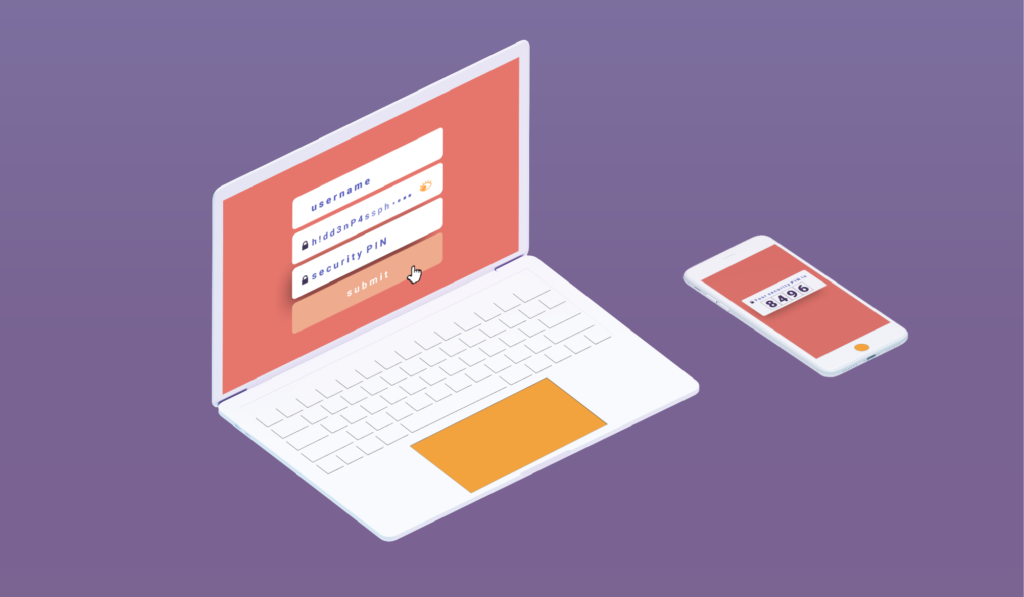
To strengthen your security we use the passphrase, this is where we protect your files and transfers, the passphrase is the key used to authenticate the user. When you register on your device, a secret key is generated that will help you decipher the encrypted content you receive and or send.

This secret key is created and stored in the user’s device. Thus, only those who know the passphrase can recover the secret key which unlocks the content. When you log in again, you will be asked for your passphrase and the encrypted secret key will be decrypted with this same passphrase.

With HushApp you are the one in charge of giving more security to your files because the more complex the security passphrase you choose, the higher the level of protection. You can even know if your passphrase is sufficiently robust and complex to be deciphered, because the application assigns your profile a yellow (if regular) or green (if strong) shield based on this criterion.

That is why it is important that you do not forget your passphrase. Our application implements zero knowledge protocol, meaning we have no way to access your files, passwords or passphrases. So, if you cannot remember your phrase, you will not be able to recover your files.

We invite you to try HushApp …

Filed Under: HushApp News, Sin categorizar Tagged With: cybersecurity, E2EE, encryption, end to end encryption, passphrase, privacy

How to prevent Google from spying on your information?

October 18, 2018 by HushApp Team

How to prevent Google from spying on your information?

Have you ever happened to visit a place, see a product that catches your attention and minutes later see an advertisement with that same product on your phone? Yes, you’re not the only one who feels spied on. There is no doubt that Google knows more about us than  we know. They have the ability to listen to what you say and even store your password information. To prevent Google from spying on your information, follow some tips and make some simple configuration changes to some of its tools.

How to prevent Google from spying on you: Start with the basics

– You can use an anonymous search engine instead of Google Search, such as DuckDuckGo.

– Log out of your Google account whenever you are not using it (although it can be a bit tedious, this small measure can change your privacy)

– Use an other DNS than Google

– Block Google Adsense ads with an ad blocker.

Protect your passwords: Chrome can also save them 

The version of Chrome 69 not only made aesthetic changes, but automatically starts logging into users’ Google account by saving their passwords. To avoid remaining with your passwords, follow these steps:

– Open Chrome and copy this address in the search bar chrome: // flags /

– Then click on “Enter”

– In the search engine that appears, type: # account-consistency

– In the option “Identity consistency between browser and cookie jar” select the “Disable” drop-down.

– Below, the following message will appear: “Changes will be applied the next time you restart Google Chrome.” Then click on “Relaunch now” and the browser will restart.

Google can spy on you using your microphone: 

The microphone of your mobile is also an open door for the technological giant to hear and spy on you. To further protect your privacy, follow some of these tips:

Disable the “Ok Google”: If you use Google Assistant, it is almost certain that it is activated when you hear “Ok, Google”. For that, it is necessary that the application be 100% alert, always listening. The way to avoid being constantly heard is like this:

– Go to “Settings”.
– Go to “Google”.
– Access the “Search” option.
– Click on “Voice.
– Enter “Voice Recognition”.
– And finally, disable the “Ok, Google” option.

2) Prevent Google from saving your audio history

By authorizing Google to collect your personal information (which you have surely done by accepting, but not actually reading the terms and conditions) you should know that practically all the commands that you dictate to your mobile are registered. It’s like the search history on the Internet but in audio format.

You can also deactivate them in this site, go to the section “Voice and Audio Activity” and finally disable the scroll.

3) Block Google from your microphone:

You can also prevent Google from using the microphone completely by following these steps:-Go to Settings

-Select Applications.
– Scroll until you find the Google app and access it.
– Select Permission and deactivate Microphone.

What to do so that Google Maps does not follow your steps? 

Another way to prevent Google from spying on you is through Google Maps. You can follow your steps to all the places you went thanks to this tool. Although there are many advantages, such as recommending places according to your taste or providing you the most efficient mode of transportation. In actuality, it can be problematic because this method is one of the main tools used to collect your information. To prevent this from happening, you have some options that you can apply:

  • Use the Google Maps offline and download the maps beforehand, this will also help you limit the amount of data you spend.
  1. Open Google Maps
  2. Click on the button of the 3 vertical bars in the upper left corner
  3. Press “your chronology”
  4. Then in the upper right corner, press the button of the 3 vertical bars
  5. Select settings – application settings
  6. Press ” the location is activated “and change it to” NO “

You can also delete the history from the computer: 

Start using HushApp today.
SIGN UP

  1. Enter the google maps website
  2. Enter your email account
  3. Select menu -” Your chronology “
  4. Click on the wheel located at the bottom right
  5. Select “Delete all location history” – Accept

Although many of these tools are mainly designed for the usability and comfort of each person, if you do not take the appropriate measures for their use your information and privacy will be exposed without you noticing.

Filed Under: HushApp Tips Tagged With: Google, Google Assistant, Google Maps, Google spy, ok Google, passwords., privacy

Hackers vs cybercriminals: Who they are and how to identify them

October 9, 2018 by HushApp Team

Hackers vs cybercriminals: Who they are and how to identify them

When we talk about hackers, many people imagine the typical image of a person (usually teenagers) hiding in a room behind a computer, typing indecipherable commands until getting ahold of any valuable information that seems impossible to access. The reality goes beyond this stereotype created by Hollywood, a hacker may be the person we least imagine and their motives can be different. Some hackers are not always focused on money. To determine the best defense to protect our information, it would be better to know who these people are and what motivates them to cause this type of damage.

The word “hacker” comes from the English word “hack” which means “to give an ax”. Originally, the term was used to describe the way technicians fix defective devices, but now, the word has evolved to acquire a negative connotation.

This connotation is clear that it is due to the serious damage that can occur to a person or a company, the main purpose for doing so varies.

Hackers vs cybercriminals

Adam Tyler, Innovation Director of the company CSID, explains that the profile of the current hacker is a young videogame aficionado, accustomed to Internet and social networks, who learns hacking as a personal challenge, the same way that they try to overcome a complicated video game.

This profile of hacker – which we already know – uses hacking for fun. Their motivation is not financial but a challenge to itself, rather achieving notoriety in its community. However when the game starts to be a business, then the rules change, or they skip.

As explained by Chema Alonso, CDO of Telefónica, “do not confuse a hacker with a cybercriminal, the second can enter systems with a purpose with a monetary objective or companies to steal information. Hackers, on the other hand, do it only out of passion and without the intention of doing harm. “

The profile of the hacker

Virtually anyone with access to the internet can learn to be a hacker. A survey conducted by a computer security company in Latin America, states that 76% of hackers are men whose ages are between 14 years (8%) to 50 (11%). The average age is 35 years (43%).

It is difficult to differentiate one from another, since many hackers end up being cybercriminals. Hackers are restless minds who are always looking for new ways to use technology. A poll of 127 hackers revealed that 51% of respondents said that their main motivation when launching cyber attacks is “the search for emotions”, while 18% point to economic benefits as a reason.

Another characteristic of cybercriminals is that they do not act alone, they can operate in large organizations around the world attacking approximately 600,000 times per day.

Cybercriminals carry out their attacks not only to obtain monetary gains and confidential information, but also to affect the reputation of the company and its brand. For example, interrupting digital services such as blocking access to emails or websites, among other types of attacks that affect the operating system of companies.

Types of cyber attacks

The type of cyber attack could determine the ideals or motives of the cybercriminal, the most common are:

Cybercrime: uses techniques such as phishing, steal the identity of people or companies to perform bank fraud, empty accounts, etc. This is generally for economic purposes.

Hacktivism: Is damaging pages of large companies or the government to make a protest. The objective of these cyber attacks is ideological and / or social. Most known within the hacktivists is the Anonymous organization.

Cyber ​​espionage: Compromises cybersecurity in companies. Since it deals with the theft of sensitive and valuable information, such as stealing private financial information from customers and employees, which then can be sold at very high prices on the black market.

Cyberterrorism: usually directed against governments or countries, affecting services such as health, defense, or infrastructure of great importance.

Types of hacker and how they operate

Each hacker has his way of operating. According to the actions he commits and the reasons he has, the most common classification is the following:

White Hat: The hero you who helps save you from cyber attackers, also known as “ethical hackers”, since they are people who work in computer security companies constantly looking for vulnerabilities to correct them.

Black Hat: This type of hacker is what we can define as a cybercriminal, he is the villain of the movie, they hack only for his personal interests. They use sophisticated techniques to access systems and steal data, destroy it or sell it on the black market.

Gray Hat: This person is a hybrid between the previous ones, because it is possible that he acts illegally but with good intentions. It can penetrate systems and disclose useful information to the general public, for example, accusing large companies of testing for the unauthorized collection of user data.

How do they choose their victims?

Hackers know who are the most vulnerable people for an attack. Their main targets are employees who have little knowledge about the proper use of computer systems. They also focus on hacking freelance workers, since typically these profiles consists of of people who have access to the systems of the company, but are not subject to corporate policies.

Why hack Social Networks?

Another favorite space for hackers are social networks. What do hackers look for in them? People using social media post photos, comments, new purchases etc. daily with family and friends. We are leaving information public to everyone, although it seems that it does not have importance, is of great value for cybercriminals. Since they can obtain a large amount of personal data and then use it in their favor.

Disseminate malwares sell our personal data, deceive users through phishing or other malicious actions that hackers can allow with all the information they get from our social networks.

How to recognize a cybercriminal in organizations

As we mentioned above, it is difficult to identify a hacker, because it could be the person you least expect. In spite of this, some characteristics could be taken into consideration in order to recognize a cybercriminal:

• A person with a high knowledge of computers and networks in general, such as, change of IP, use of Keylogger programs, use of unusual browsers, among others.
• People who take advantage of social spaces to ask about customer data and sensitive or restricted use information.
• They install spyware without authorization.
• Deactivate the antivirus software on the work equipment.
• They make use without authorization of computers or devices of the other members of the organization.
• Employees who work extra, beyond office hours without giving justification.

Although some features may be a bit exaggerated to justify the profile of a “possible” hacker, paying attention and getting to know the staff of the company does not hurt. The important thing is to ensure possible ways of where the attack may come.

Filed Under: Cybersecurity Business Tagged With: Black Hack, Cyber ​​espionage, cybercrime, cybercriminals, Grey hack, hack, hackers, Hacktivism, White Hat

Are you a cybersecurity geek? 10 signs to show that you are becoming one

October 2, 2018 by HushApp Team

Are you a cybersecurity geek? 10 signs to show that you are becoming one

Being a geek is a way of life, it’s about being passionate about what you like the most, keeping up with the latest technology, and watching all the movies and science fiction series. It also is about being aware of all details, forums or blogs that comment on your favorite topics (in addition to buying all possible gadgets and toys). But as a technology lover, you are aware of all the threats that exist on the Internet, and you have so many security measures that- wait, are you becoming a cybersecurity geek?  

We have repeated on several occasions how important it is to protect yourself against a cyberattack, and never to be paranoid enough about cybersecurity, but there may be some exceptions … If you show three or more of these signs when you protect yourself from a cyberattack, you may already be a cybersecurity geek 🙂

Are you becoming a cybersecurity geek?  

  1. Make daily backups of your data or every few hours. 
  2. Do not open attachments from NOBODY.  
  3. Do not use any social network, or if you do, use them with false name and profile photo.
  4. Use more than one antivirus for each device.
  5. Never use Windows, a good cybersecurity geek always knows not to use this operating system, even if he has the best antivirus (or more than one).
  6. Visit pages of companies or computer security organizations daily to be aware of possible threats.
  7. Establish protocols and infrastructure for a Disaster Recovery Plan (DRP) … at home.
  8. Search daily on the Internet to know what information about you is published on the web, there are even some people that have a Google Alert with their name configured. Even think of hiring a company that searches in the most remote corner of the internet to know what  private information is online and can help you erase it.
  9. Protecting your router, but not only with the basic measures such as, passwords, signal range and others. You have to go further, better, think about covering the walls of your house with layers of aluminum foil, this will drastically reduce the intensity of the signal.
  10. Place removable devices (such as USB encrypted) in secret locations that you can use to send to your recipients. Although it is a measure used by cybersecurity experts and hackers, in your day to day life, believe me, you will need to. However we have some better options for you … 

If you do some of these actions I think you better take it easy. It is not necessary for security of your confidential information to be problem for your life, there are much simpler options. We want to make your life easier, with HushApp you can keep your information safe and secured while having peace of mind that your confidential files remain safe. 


We invite you to try HushApp …

Filed Under: HushApp Tips Tagged With: cyberattack, cybersecurity, Cybersecurity geek, geek, hacker, hacking, HushApp

What is Two-Factor Authentication and Why Should You Use it?

September 27, 2018 by HushApp Team

What is Two-Factor Authentication and Why Should You Use it?

Surely you have found more than one service that asks you to twice to confirm that you are really the one trying to access the content. This method is known as two-factor authentication, or multi-factor authentication because it is more than one test. Although this process may be a bit tedious, we will explain why it is necessary to apply it in each application that allows you to do so.

According to Wikipedia, ¨Multi-factor Authentication (AMF) is a method of computer access control in which a user is granted access to the system only after he or she presents two or more different proofs of who he claims to be, These tests can be a secondary password, digital certificate installed on the computer, among others.¨

The best known method is the two-factor authentication (A2F), which only requires two tests. Services that incorporate this identifying method into their system include ICloud or Gmail Outlook, cloud services such as Dropbox, OneDrive, iCloud PayPal, or social networks such as Facebook and Twitter.

Two-Factor Authentication and Two-Step Authentication

The basic authentication systems work with the typical user / password combination. The user that identifies you, and the password that authenticates who you say you are. However with the advancement of technology and cyber attacks, double authentication (or multiple factor) adds a more robust method to properly identify the user. For instance, a USB token, a coordinate card or even something more unique to authenticate the individual such as, a fingerprint, an iris, a voice or even the user´s  face.

It should not be confused with two-step authentication, since in this case two factors are used that add a second step to verify that you are who you say you are (such as when using a password and then a code that is sent by SMS or email). In the case of the A2F, different methods or tests are used that add on an additional layer of security.

Disadvantages:

Like any security system, it has its advantages and disadvantages, which must be considered when implementing. One of the disadvantages of double factor authentication is that if you misplace or lose your identifier, such as a token or coordinate card, then you will not be able to access the system. You will be forced to request it again.

Also in the case of two-step authentication, such as the one implemented by Google, a verification code is sent to an alternative device for the user to confirm in the case their email is locked out and to ensure that the user is legitimate. However, there is a risk that if this device is lost, the code can not be accessed.

How Secure is Two-Factor Authentication?

Although two-factor authentication has proven to be a breakthrough in terms of security, it still has its vulnerabilities. Recently the former hacker, now security consultant Kevin Mitnick explained that just by using a bit of social engineering, you can get sensitive data from a person.

Individuals must be diligent of the websites they are using even if they appear to be real. Investigating the website for any warning signs such as spelling issues in the domain. For example, Linkedln -with ‘ele’ lowercase instead of ‘capital letter’ is a red flag and could be a trick played by a hacker to get you to fill in your personal information. This would allow them in the future to be able to skip the two-factor authentication and gain access to any of your accounts. Therefore it is important to suspect any change, even the smallest, since it could be a fraud.

Adding two-factor authentication will not ensure 100% protection of your information, but it will reduce the chances of a cyber attack and make it much more difficult for the hacker. However, it depends on each person to implement it in all possible services. It does not hurt to have an additional layer of security to avoid any type of incident.

Filed Under: Cybersecurity Business Tagged With: 2FA, cyber attack, hackers, MFA, Multi-factor Authentication, social media, two factor authentication, Two-Step Authentication

  • « Previous Page
  • Page 1
  • Page 2
  • Page 3
  • Page 4
  • Page 5
  • Page 6
  • Next Page »
logo HushApp made in EU

HushApp allows to protect and send files safely without complications, in any platform. Sign up for HushApp and enjoy the peace of mind of end-to-end encryption.


Product
Features Pricing Android App iOS App coming soon Web App
Users
Book a demo FAQ Guide Support
Business
Hush for Business GDPR Use cases
About
About us Jobs Terms of Use Privacy Policy Legal
This website uses cookies to improve your experience. We'll assume you're ok with this, but you can opt-out if you wish.Accept Read More
Privacy & Cookies Policy
Necessary Always Enabled