• Skip to content
logo logo
  • Blog
Login SIGNUP

HushApp Team

3 things you can do in the new version of the HushApp web application

September 18, 2018 by HushApp Team

3 things you can do in the new version of the HushApp web application

We have news in HushApp! We have mentioned the advantages of  the zero knowledge technology in HushApp and how incorporating a passphrase provides for additional security. The HushBox makes it easy to manage contacts by giving the option to send to HushApp users or non-users. Now we have made some improvements and we come to introduce to you the latest updates to the HushApp web application.

We have implemented high-level encryption methods, seeking a simple and transparent process for the user, without affecting the efficiency of your mobile or computer. Therefore, security, usability, and a good user experience are our priorities.

The new presentation in our web application simplifies and unifies the processes to send and share files in an easy and safe way, while still managing to follow our principles.

This is the news that we bring from the HushApp web application

After logging into the web, either with your email and passphrase or with one of the available social accounts, you will enter the main screen to make your submissions. You then will be able to attach files to send to others via email. You will also notice that you can see in the middle of the screen, the tabs of your contacts that you have previously added, and that if you wish to add an additional one in the “recipients” section, it will appear automatically. 

Start using HushApp today.
SIGN UP

When you have several contacts, you will notice a bar that you can slide to the right to see all the people added. Since they will be easily accessible, it will be painless for you to find the contacts to whom you want to send.

In addition, there is a new functionality to add contacts that are non-users of HushApp. If you would like to send documents to non-users you simply need to select the “recipients” section and create a password or passphrase. Then inform that contact of the password so that they can access your file.

Below the contacts, we have another new feature, a space to add a note, which is also sent encrypted. This new functionality is optional, but allows you to customize the message. Any details about transfer or additional information about the contents is recommended, however, HushApp users seeking to send to a non-user should not include the password or passphrase needed to access their files.

As a last step, just click on the send button and go! Your files have been sent securely, and no one other than you and the recipients you chose will be able to access the information.

People who seek to use applications prefer the process to be easy and efficient. At HushApp, we work every day so that when you need to send a secured document you can do so pleasantly and above all conveniently.

We invite you to try the new version of the HushApp web application …

Filed Under: HushApp News Tagged With: encryption, HushApp, HushApp web application, HushBox, send files, share files, zero knowledge

9 Tips to protect your router from cyber attacks (and your neighbor)

September 5, 2018 by HushApp Team

9 Tips to protect your router from cyber attacks (and your neighbor)

The Wi-fi signal from our router has become part of the family, how many do not depend on this small device to keep the family happy? We all want it to keep working perfectly, but surely you have not bothered to protect your router until the neighbor manages to connect to it. How he did it?

Imagine that your router is an open door to your home, think of all the devices that are connected to it, if you do not take the necessary security measures, you will not only be leaving the doors open for your neighbors to use your internet connection without paying it, but also you are responsible for the pages that he / she visits, and therefore, you risk being an easy prey to a cyber attack.

How can we prevent intruders from connecting to our Wi-Fi? Although we do not have the magic formula to achieve total security, at least we can help you improve your daily practices and reduce the risk of an attack by following this tips:

First steps to protect your router: Change everything that is by default

  1. The first step is change the user, avoid leaving “admin” and configure something customized.
  2. Second and one of the most important, change the password which comes by default by the manufacturer or operator. Use the strongest passwords you can, with combinations of uppercase, lowercase, numbers and special characters.
  3. Also, change the IP address of the router: it is usually 192.168.1.1, just by changing the last digit and making it difficult for any intruder to enter.
  4. The name of the Wi-Fi: here you can use something simple or easy to remember, but do not put information that refers to you: your name, nickname, physical address or any other unnecessary information.

After making the necessary changes, you can apply other stronger measures to protect your router:

  1. Limit the emission power of the antennas: one of the simplest measures, because if you limit its scope, it will be difficult for others to get connected, only to those who are inside the house. Most routers allow managing the antennas power to limit the radius coverage of the network.
  2. Configure your network with WPA encryption: It is recommended to enable the most current WPA3 WPA configuration with a 192 bits encryption and the ability to individually protect each device that connects to the network. However, most modern versions of WPA like WPA2-PSK can also secure your network, since it offers a high level of protection. Is not recommended to use WEP encryption, since it is not secure enough, modern routers it does not have this option configured, nevertheless, it is worth reviewing it.
  3. Update the firmware: your router has its own operating system like your mobile devices and computers, it should be updated to correct possible bugs and vulnerabilities.
  4. Create different networks: Some new routers can create different networks, this will allow you to have networks for different purposes.
  5. Filter the MAC addresses: the MAC addresses identify every devices, there are not two computers with this identification number. Register the MAC addresses you want on your router, and only they will have access to your home’s internet.

If you want to be aware of other cybersecurity tips, we invite you to visit our Syneidis blog.

Filed Under: HushApp Tips Tagged With: cyber attacks, firmware, IP address, MAC, MAC addresses, password, router, Wi-Fi, WPA, WPA encryption, WPA3

What is zero knowledge technology and why do we use it in HushApp?

August 31, 2018 by HushApp Team

What is zero knowledge technology and why do we use it in HushApp?

It is difficult to choose the appropriate ways to protect our information, each application may have stronger features than another. If you want to keep an intruder as far as possible away from your files, then there are options available in the market that can help you. This level of protection is known as zero knowledge technology, but, what is it? How does it work?

It is important to begin recognizing the protection type we want for our files. We have the ability to choose who does or does not access them, but our security sense depends on the trust we have in others. For example, how could we ensure that a hotel does not use the master key of your room to enter and rummage through your belongings and even steal them? There should be a method to ensure that the hotel will not use this key.

The same happens in the digital world, when entering a service, you need to enter a password. Traditionally the server already has a coded version of the password, if it matches, you can access the system. The problem is that the server also knows your password. This is where zero knowledge technology could help you …

How does it work?

Zero knowledge, or ZKP (Zero Knowledge Proof), is a protocol used in encryption systems. It is a method established for one of the parties to prove to another that a statement (usually mathematical) is true, without revealing anything other than the truth of the statement.

To put it in simpler words, zero-knowledge technology uses encryption schemes that show if someone knows something without revealing what it is. For example, this is similar to when someone knows the answer to a riddle but does not reveal the solution. How can you prove that they really know the solution?  

Start using HushApp today.
SIGN UP

There are two fundamental parts involved in this process, the “tester” who knows the information and the other, in this case the “verifier” who is convinced that the tester knows the information in question. To verify this, the ZKP protocol follows three basic properties:

Totality: the tester can provide the correct information and the verifier will be convinced of the truth of what he receives. Taking it to the digital world, a tester could be a user who places his password in an application, the application (verifier in this case) will receive the password of the tester (the user), without needing to know it.

Solidity: The only way to convince the verifier, is entering the correct information (or the correct password).

Zero Knowledge: The verifier knows that it is the correct information, but can not know the password.

A unique feature of this system is that it not only shows that it knows something to its interlocutor without revealing it, but if someone simply observes, they cannot verify or know anything about this procedure.

The interesting thing about ZKP is that it is a form of authentication where passwords are not exchanged, which means that service providers do not know anything about the data they store on their servers. It is also included in our HushApp!

HushApp and Zero Knowledge Technology

One of the most interesting HushApp features is that we use this technology to give greater protection to your confidential information. With this, you are certain that we do not have access to your information, passwords, or the files you store or send.

With this you get a more secure communication because only the user knows what he is communicating or what files they are sharing. When not storing your password, it is very important that you memorize it or keep it in a safe place, since if you lose or forget it, you will not have a way to recover it.

We invite you to protect your files easily and safely.

Try HushApp …

Filed Under: HushApp News Tagged With: encryption, HushApp, password, send files, share files, zero knowledge, Zero Knowledge Proof, ZKP

9 Cybersecurity Tips to protect corporate email from possible cyber attacks

August 27, 2018 by HushApp Team

9 Cybersecurity Tips to protect corporate email from possible cyber attacks

Email is still the best way for companies to communicate today, it is the most convenient way to send and share files. However, it is important to use with caution because many cyber-attacks that occur in companies, originate in email. A prime place where cybercriminals can get information directly from employees. To make sure your email is protected, follow these cybersecurity tips to protect your corporate email.

9 Cybersecurity tips to protect your company’s email

  1. Must ensure your employees understand the risks of a cyberattack and how to be safe so companies can cybersecurity culture in the company.
  2. Do not use corporate email for personal purposes, to avoid getting additional opportunities for unauthorized people to invade a company’s system.
  3. In case you lose your password, link your email to another alternative account, preferably another from the company. Add double factor authentication for added security.
  4. Do not post your corporate email address in forums, social media, etc.
  5. Create email accounts for different tasks, for example, using an additional account to subscribe to new services where your security policy is unknown. Having multiple accounts decreases chances of getting hacked and losing private information.
  6. Watch where you access with your email: Do not open your corporate email from networks outside the company, in case you have to do so, open a incognito window and close all other sessions.
  7. Beware of phishing: an email with malicious content is designed to deceive you, so it is important to be alert to any fraud, and analyze its content: an unknown sender, files with double extension that usually are computer worms or Trojans, even some design change could be an indication of a phishing email. If you decide to open it, check it with an antivirus.
  8. Do not respond to spam emails, you can give clues to possible attackers or scammers.
  9. Send your encrypted files: use an application to protect your files. An option can be HushApp, with which you can send and share files in a easy and secure way, it uses end to end encryption. You can also send files to contacts that do not use the application and the information will remain protected.

There is no guarantee that you will have 100% security, cybercriminals use different techniques every time to violate the company’s confidentiality, taking advantage of informing employees on proper security measures will help reduce the chances of being hacked. Therefore, the best way to defend yourself is by being aware of the risks and taking all available prevention measures. From the most complex systems you can implement to simple practices, such as these cybersecurity tips to protect email.

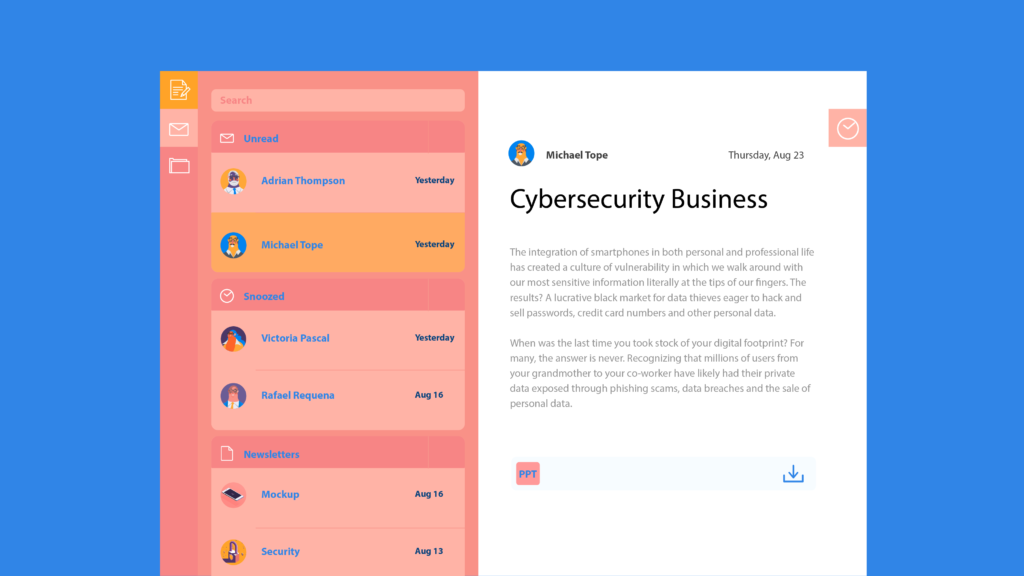
Filed Under: Cybersecurity Business Tagged With: computer worms, corporate email, cyber attacks, cybersecurity, email, HushApp, phishing, Trojans

Cybersecurity for employees: Creating cybersecurity culture in your company

August 21, 2018 by HushApp Team

Cybersecurity for employees: Creating cybersecurity culture in your company

As much as companies invest in sophisticated security systems, it will not help if efforts are not focused on the most vulnerable points of attack: the employees. They are the ones who access and manage the company’s information, therefore, training in Cybersecurity for employees must be part of the company’s organizational culture.

There is no doubt that companies are the preferred target of cyber attackers. These criminals take advantage of the little knowledge and carelessness of employees. With just a click, they have the ability to access the confidential data of the company. Therefore, all employees must understand the risks that exist and that may affect not only the company, but themselves.

Achieving adequate training should not only be an IT department responsibility, rather the board of directors must lead the change and be the example to follow, so that the entire team can be prepared to face any attack.

Some tips to implement training actions in cybersecurity for employees could be:

Beyond all security systems that can be implemented by the IT department, it is about training the employee regarding the proper use of each electronic device available in the company.

It is essential that employees understand the importance of using strong and unique passwords, not to leave them in plain view of anyone, not to reveal them by any media. They can also be taught to use password management tools.

Train employees to recognize safe sites to navigate, (they can look for the S of the HTTPs protocol or the lock). They can also be prepared

Give HushApp a Try!
BOOK A DEMO
for some kind of phishing or performance simulation tests them to check if they are alert for this type of attack.

Establish policies for employee mobile device usage: many companies have increased the number of corporate devices to provide flexible schedules, therefore there should be policies established that include personal devices use, if they access the company’s networks or for work management.

Implement secure and easy-to-use encryption tools: part of every employee’s day-to-day work is to share and send information to other contacts: colleagues, customers, suppliers, etc. A simple activity but that could compromise the company security if if some precaution is not taken.

HushApp is a tool that will allow employees to send files in an easy and secure way. Since it uses end-to-end encryption, they can also send to other people (as customers for example) even if they do not have the application, and they will still be protected.

Involving employees in the training

Imposing rules and restrictions will not ensure that all employees abide by them. On the contrary, it would complicate access to information. There will be slower processes and therefore greater dissatisfaction among employees. The idea is that the experience is pleasant and it becomes a habit.

Large companies are making campaigns to raise awareness among their employees about cybersecurity issues, such as Facebook, which organizes programs such as “Hacktober”, a tradition designed to build and maintain conscious culture about cybersecurity.

Marketing campaigns with contests, workshops, lectures and even games that allow not only spend a pleasant time for employees but promote good practices in the field of cybersecurity.  

INCIBE Awareness Kit to start:

The National Cybersecurity Institute (INCIBE) has anon its website Awareness Kit that incorporates multiple graphic resources, interactive elements and detailed programming to improve companies’ IT security.

Changing the behavior of an organization should not be seen as a simple list of tasks to be done, it is about creating collective awareness about the importance of training in terms of cybersecurity for employees, understanding the risks and consequences, to avoid future financial or reputational damage to the company.


Filed Under: Cybersecurity Business Tagged With: cyber attack, cybersecurity, encryption tools, HushApp, IT department, phishing

What you need to know to choose a good antivirus

August 17, 2018 by HushApp Team

What you need to know to choose a good antivirus

One of the first steps you must take to protect yourself from a cyber attack is to have an antivirus, the web is full of threats, so we should be prepared for any eventuality of this type. The question is: how to choose a good antivirus between many options that exist in the market? And which one best suits your needs?

The risks of not being protected are very high, the fact of not having a good antivirus, could bring serious consequences just by accessing the most common sites: an infected email or websites with malicious codes, could bring any virus type or malware such as: Trojans, a computer worm or the feared ransomware, which would allow the cybercriminal to take control of your computer and your personal information.

Each user has different needs, so it is important to define which antivirus is the one that suits you best. Follow some basic tips to protect your computer and your most important information.

How to choose a good antivirus for my devices?

Before choosing an antivirus, you must define the use that you give to your computer, so you will know the protection level you need, it is not the same an antivirus for a company to a personal one, also, if you only check the mail or social media, or if on the contrary, you use your computer for downloading videos and entering many unreliable websites. There are risk in both cases, but precaution levels can be adapted.  

Take into account the computer speed, if it is a new and fast computer you won’t have problem using a powerful antivirus, but if it is an old and slow computer, you will need a lighter program, so that it does not affect your PC efficiency.

After you determine these characteristics, you can start to choose features, which can be adapted to the computer and your budget. Also, choose an antivirus compatible with the operating system you are using.

The basics

  1. You can find on internet paid versions or the free ones, generally, the paid versions will give you many more options, analyze if it is worth making the investment. It is best to choose one with a trial version, with you can test antivirus before paying the license.
  2. It is essential that the antivirus you choose has a firewall, this will allow you to protect your device from any unauthorized access to your local network by some cybercriminal.
  3. Consider the product reputation: buy products with have good references in the market, recognized manufacturers will give you credibility and confidence, in some cases you can see awards and recognitions given by associations and specialized media, as well as the opinions of others users through forums or specialized websites.
  4. Make sure buy it at the official store
  5. Even if you have a fast computer, it is advisable to look for an antivirus that consumes few resources. A good antivirus should protect your computer without delaying processes.
  6. Choose an easy-to-use software, an antivirus must perform its work automatically, in real time and almost without you noticing.
  7. A point to value is that the antivirus has customer service, which can provide technical support in case of any problem.

Plus+ to value

  1. Some antivirus programs also offer a multiple devices license, this allows you to protect not only your computer but other devices such as your mobile phone or tablet.
  2. If you have children, you could use an antivirus with parental control, with this you can limit the children access to the internet.
  3. To reinforce your computer security, some antivirus programs bring other advanced features, for example: Protection against ransomware, artificial intelligence that updates defenses while computer attacks evolving, antispam, phishing protection, protection against banking trojans, among others. Depending on your budget, you can add it to improve your security.

HushApp: Another type of information protection

Do not think that just by choosing an antivirus you will be completely safe, the technology advances and with it the cyber attacks, si If you have more security, it will be better for your computer. The good news is there are other solutions to continue protecting your privacy, many of them are free, and will not modify the budget that you have prepared for cybersecurity.

For example HushApp, which in its FREE version allows you to store and share your most important files easily and securely, through end-to-end encryption systems and other features that will help protect your privacy.

We invite you to try HushApp…

Filed Under: HushApp Tips Tagged With: antivirus, computer worm, firewall, HushApp, information protection, multiple devices license, parental control, ransomware, Trojans

5 Cybersecurity tips you need to manage your business social media

August 9, 2018 by HushApp Team

5 Cybersecurity tips you need to manage your business social media

Social media has transformed the way people communicate. Each of them generates more and more accounts every day, for its immediacy, its ease of use and other characteristics that as we all know, make us addicted to them. Companies know that social media is an indispensable channel to reach customers. The problem is that hackers find it easy to get your information if you do not take the appropriate measures of cybersecurity for your social media.

Social media sites are nearly completely public, once you post something it is permanent. In the business world, everything exposed in social media must be handled carefully, a couple of words in a tweet could cause serious negative impact on the reputation or even the finances of the company.

A careless community manager of a company can be responsible for writing a post without thinking or reading it before giving away private information, a disloyal competitor who wants to end their reputation or even a malicious computer criminal who pretends to supplant them, trying to cheat their followers using to their name.

It is not about blaming anyone, it is better to prevent this type of situation than have to deal with it afterwards. It is crucial to start with some basic ideas that can reinforce the protection of your social media.

5 tips of Cybersecurity for business social media

  1. Add two-factor authentication to your social media, do not stay with a single password, you can increase security by using a
    Start using HushApp today.
    SIGN UP
    second option with a personal question or by sending a password to a mobile device that you have linked to your social media account. You can also use it for your personal networks.
  2. Assign devices to management business social media: just like the two factor authentication, manage corporate networks from devices only destined to corporate accounts.
  3. Configure the privacy options of each network: each one allows you to decide what you want to show and what not.
  4. Control who has access to social media: The more people who have access to the company social media, the risk becomes greater, assigns administrators and controls their permissions and access, especially if this work is carried by an external person to the company. In the case of Facebook, you can assign different roles, be sure to eliminate access to former employees or former account administrators.
  5. The fundamental idea of business social media is to promote a product or service of your company, and thus have a closer contact with your customers. If you plan your marketing strategy well, surely you will have quite effective results, but do not forget cybersecurity. If you create a social media campaign, make sure that this information (arts, texts, special promotions, etc.) does not reach unwanted people before the time you decided to publish. Use applications such as HushApp, which will allow you to protect your files easier and safely, so that your campaign will be a success.

There is no doubt that social media has become an essential tool for companies, especially SMEs, but they are also a key focus for cybercriminals, the ideal is to use them responsibly to ensure the success of the company in the digital world.

Filed Under: Cybersecurity Business Tagged With: business social media, cybersecurity, HushApp, marketing strategy, privacy options, social media, two factor authentication

17 essential tips for parents on Cybersecurity for children

August 6, 2018 by HushApp Team

17 essential tips for parents on Cybersecurity for children

There is no doubt today that children have the ability to use electronic devices and the internet, even the smallest kids already know how to play their favorite online games. This opens a debate among parents about what age should kids start using technology and how much time they should spend on it. Although there is no precise answer to these questions, here, parents can learn some tips about Cybersecurity for children.

According to a research by Norton, 87% of Spanish parents consider it risky to allow their children to use computers and mobile devices without any supervision; in fact, among the 3 biggest concerns are: children can suffer cyber bullying (92%), spend too much time in front of the screen (88%) and download malicious programs or applications (88%).

Despite the active awareness of these latent dangers, statistics say that most parents are not adjusting their parenting.  The study found that 68% do not limit access to certain websites or applications, 19% allows their children to buy online without surveillance and 57% allows them to use the internet without supervision.

Children on the Internet have a lack of supervision due to many reasons, one being parents not intervening to check the safety of their children.

Therefore, we invite you to read the following basic cybersecurity tips, which you can apply to control and protect your children about the dangers they are exposed to on the web.

Cybersecurity for children: tips for parents and children

  1. Limits how long your children can spend connected to the web, set those limits and make sure they are met.
  2. Watch the pages they visit, who they communicate with and what other actions they do on the web. And if you detect any access to some undesirable content for their age, you can talk with them about the subject and block access to the web or game.
  3. Recommend your kids to not use their real name on the web and never give personal information, such as phone numbers, your address, their school, or where they will go on vacation, etc. to strangers.
  4. Establish a VPN connection in your home to ensure that no online predator will have access into your system.
  5. Teach children to create unique passwords that they can remember or keep in safe places.
  6. It is important for children to understand that the digital world can be as dangerous as the real world. If they are usually taught not to talk to strangers, the same should apply on the web.
  7. Watch who they contact on the web and teach them never to meet a stranger in person they met online.
  8. They should never respond to any threatening messages. Let them know if this happens, they have to discuss it with you or the adult that is in charge.
  9. Try to place the computer in a common area, where you can monitor what they do. This can be challenging by the usage mobile phones or tablets, yet still possible, you have the ability to monitor it other ways.
  10. Bookmark their favorite sites to facilitate access.
  11. Pay attention to any changes or attitudes regarding the time they spend on the web: Do they receive phone calls from people you do not know? Have you noticed any unsolicited gifts that have arrived in the mail? do they not like to talk about their online activities? Although these questions may seem unimportant, they could be signs that your children are being cyber bullied by a criminal.

Cybersecurity for children in Social networks:

12. Show them how to recognize and block unwanted contacts. 

Stay tuned to HushApp's Blog!
SUBSCRIBE

13. Specify that they must only add contacts from people they already know.

14. Monitor their social networks, check who their friends are and what they publish.

How to use parental control

15. Disable online purchases, or set parental controls on their devices to control they use it.

16. Use applications to monitor what your children do online: what do they download? How much time do they spend connected?

17. You can also configure parental control in browsers to be sure which pages they can enter.

Technology is changing our way of life, therefore, encouraging parents to monitor their children online will allow the child to grow up understanding how to navigate the online world in a safe way. The web can be as dangerous as the real world, however they don’t need to stop enjoying it. The important thing is that parents start to implement this change in their daily lives. Cybersecurity for children is important and if done properly can be hassle free.

Filed Under: HushApp Tips Tagged With: cyber bullying, Cybersecurity for children, Cybersecurity Tips, mobile devices, online games, parental control, password, Social networks, VPN

The best cybersecurity practices in the advertising world

July 31, 2018 by HushApp Team

The best cybersecurity practices in the advertising world

Advertising agencies are becoming the focus of hackers. For example WPP was targeted by a cyber attack last year, which cost this multinational ad agency about 17 million euros. Agencies of all sizes, even boutique ones, are under attack. The reason why agencies are so attractive to cybercriminals is mainly due to the amount and type of confidential data they handle on behalf of their clients. Therefore, if the appropriate cybersecurity measures are not applied, it can result in damage to your customers and their brands.

As you know, an online marketing campaign requires very specific planning, both to carry out market research and to develop an advertising strategy. It generally includes content to be developed in tools such as social networks, email and other marketing actions to attract potential customers.

In many cases, advertising agencies compete with each other to get an important brand account. During this process, confidential proposals are exchanged which, if they fall into the hands of the competition, can mean the loss of the client, with the consequent economic impact. That is why it is important to ensure the protection of this type of files.

It is also important to secure the creative pieces, before they are approved and go out to the public. It is regrettable that this type of sensitive information reaches the hands of hackers or unfair competitors, and that the losses have a negative impact on the income and the reputation of the agency.

Some risks that may occur are:

During the market investigation it will be necessary to share sensitive information with customers, this information will determine the effectiveness of the campaign. If these data are not sent with the right tools, they could easily be vulnerable to falling into the wrong hands, including competition.

Creative content and its tools: Content marketing is fundamental in a campaign. To do this, the agencies use content management tools such as WordPress, which allow them to create content periodically (in blogs, for example) and keep information about the company updated.

Because of its ease of use anyone with a basic knowledge can manage a WordPress account, and if not properly protected, a hacker could access the site and use it to their liking, even distributing malware to users.

Email is also widely used by agencies for targeted email marketing campaigns to contacts and customers. If a cybercriminal manages to access one of these accounts, he could not only have access to the contacts of the company, but could also send fraudulent or virus-infected emails, which would result in the company’s website or emails being blocked by the clients’ servers, and poses legal, reputational and financial risks.

Social networks are also an easy and vulnerable way to attack, and in addition you should be especially careful with the information that is published in this way, because of the ease and speed of dissemination that they have, they could also be channels of distribution of false information.

To avoid reaching any of the situations mentioned above, some basic cybersecurity measures to protect the information of a marketing campaign could be:

Cybersecurity measures to apply to online marketing:

– The fundamental thing is to use a strong and unique password that is difficult to guess, for each of the services mentioned above. It’simportant to set a different password for each tool, including each social network. 

Let’s encrypt together.
FIND OUT MORE

– It is also important to periodically perform all updates to each service.

– You should avoid connecting to public Wi-Fis if you are going to use this type of tools, since the data that is being sent at the time of publication does not have the needed level of encryption protection.

– In the case of email marketing, you can use software that offers monitoring.

– Ensure that personnel who have access to these tools are aware of the threats that exist and the security measures that must be applied.

– When you need to share sensitive files that compromise the research or business proposals that you do, use applications that allow you to encrypt the information from the moment you send it until it reaches the recipient. With HushApp you can send documents easily and safely, even if your recipient does not use the application.

Cybersecurity is an issue that should concern all business sectors, it is important that all company personnel are aware of the dangers of a cyber attack. In the case of the marketing sector, where the activity is mostly online, the dangers are much more likely, taking the measures and using the right tools, you can successfully reach your ideal customers.

Filed Under: Cybersecurity Business, Sin categorizar Tagged With: cyber attack, cybercriminals, cybersecurity, email marketing., market investigation, online marketing campaign, WordPress

IoT Cybersecurity: 10 tips to protect the security of your home

July 24, 2018 by HushApp Team Leave a Comment

IoT Cybersecurity: 10 tips to protect the security of your home

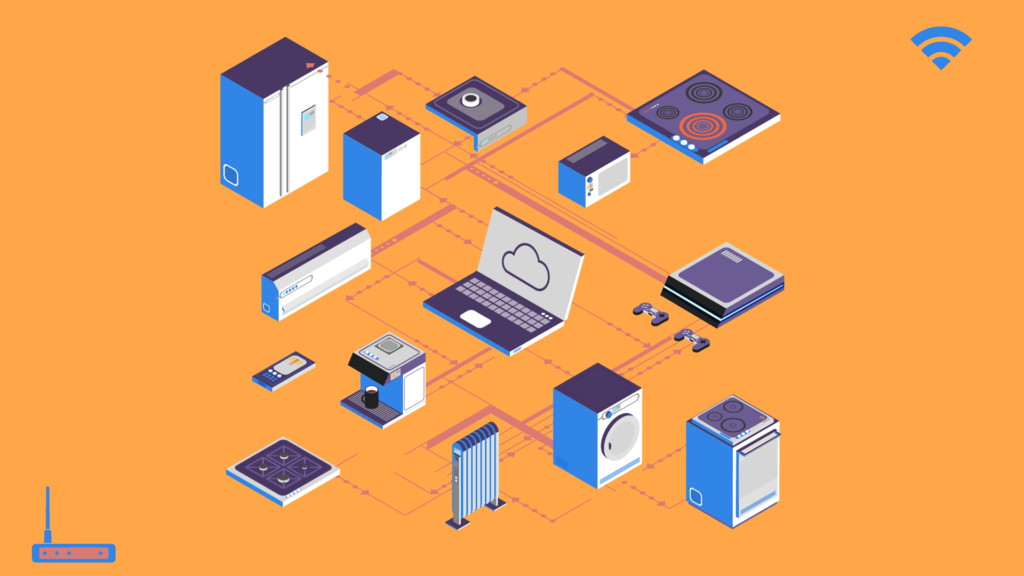
Talking about IoT Cybersecurity should not be surprising these days. The popularity of the Internet of Things (IoT) has increased dramatically and is taking over our homes, but as the Smart Home trend grows, the possibility of a cyber attack through one of these devices increases.

According to a study by Gartnet, there are more than 5 million devices connected today and the trend is growing. On the other hand, it is estimated that by 2020 the IoT technology will be the target of more than a quarter of all cyber attacks.

To start protecting your devices and prevent a possible cyber attack, just follow these simple IoT cybersecurity tips that we show you below:

10 tips on IoT Cybersecurity

1. Use different passwords for each device. Just like any other service, remember that each password works like a key, you do not use the same key for more than one door. Make sure they are complex enough so that they can not be discovered so easily.

2. If it is possible to use more than one router. Considering that most people generally connect everything to the same network, it means that this one connection has more doors opened through which it might suffer an attack. It also means that once in, the attacker has access to the whole network.

3. Protect your phone, since from there you will access the rest of the devices in the home. Use passwords and any other protection systems that you consider necessary.

4. It is not necessary to connect all the services of the device to the internet if you are not using them. For example in the case of a Smart TV, disconnect the camera or microphone when you
do not need it.

5. Make sure none connect automatically to open Wi-Fi networks. Manually configure them to connect only to the network of your choice, and make sure they are programmed to do it only when you want.

6. It’s much better if there is some way that your IoT devices can send and receive your data in an encrypted way.

7. Do not buy products that are not compatible with one another, or that can no longer be protected.

8. Buy only brands of known manufacturers and have a good reputation in the market. Cheap is expensive and even dangerous.

9. Avoid buying used devices, they can come with some malware installed.

10. Update the software of the devices regularly. In case the devices don’t update automatically, do verify it manually. Do not use equipment that can not be updated.

Cybercriminals have everyday more tools to attack and access our personal information, so we must not make it easy for them. IoT cybersecurity should be as fundamental as in any other device, software or service that you use in your day-to-day life.

Filed Under: HushApp Tips Tagged With: cybercriminals, cybersecurity, encrypted, IoT, IoT Cybersecurity, IoT devices, malware, passwords.

  • « Previous Page
  • Page 1
  • Page 2
  • Page 3
  • Page 4
  • Page 5
  • Page 6
  • Next Page »
logo HushApp made in EU

HushApp allows to protect and send files safely without complications, in any platform. Sign up for HushApp and enjoy the peace of mind of end-to-end encryption.


Product
Features Pricing Android App iOS App coming soon Web App
Users
Book a demo FAQ Guide Support
Business
Hush for Business GDPR Use cases
About
About us Jobs Terms of Use Privacy Policy Legal
This website uses cookies to improve your experience. We'll assume you're ok with this, but you can opt-out if you wish.Accept Read More
Privacy & Cookies Policy
Necessary Always Enabled