• Skip to content
logo logo
  • Blog
Login SIGNUP

HushApp Team

Why use a passphrase instead of a password?

July 19, 2018 by HushApp Team Leave a Comment

Why use a passphrase instead of a password?

As technology changes and advances, so do cybercriminals. That is why every day sites on the internet, softwares and applications are required to ask users to strengthen their passwords. This is because, users continuously make the same mistakes, using a password that hackers can easily discover.

According to Google’s global data, 68% of people use the same password for different accounts, only 46% change it at least once a year, and 91% use a password that is in the top 1000 most common passwords in the world. This goes to show that we still do not know the magic formula to remember a strong and unique password.

Remembering all of our different passwords is growing more difficult: increased length, numbers, capital letters, lowercase letters, and symbols make it difficult to not make mistakes, or forget. Thankfully, there is a better option: how about we use a passphrase?

Passphrase: what you need to know

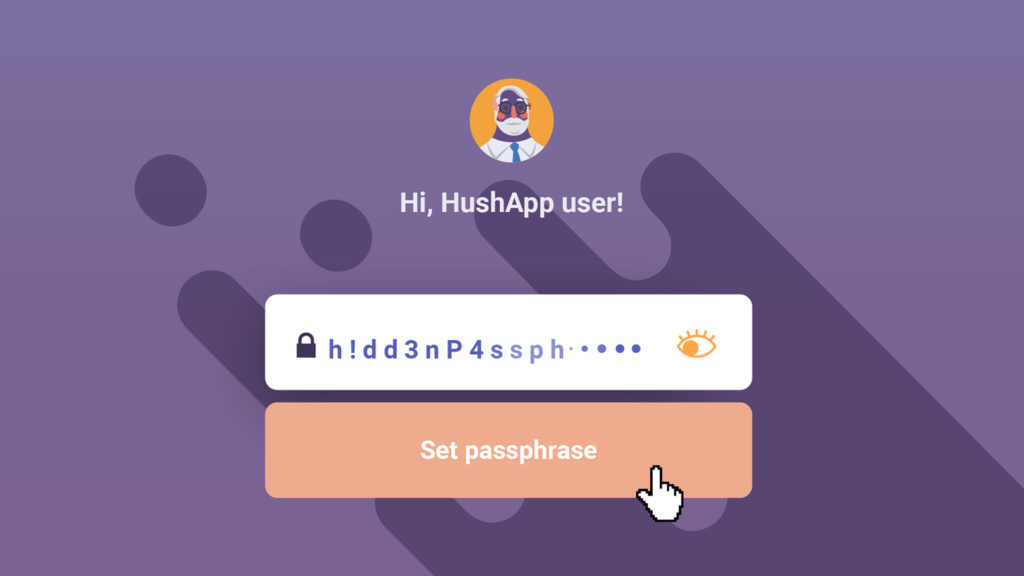
A passphrase is nothing more than a phrase that works like a password. It is commonly used in the encryption of access to some software or other electronic systems. Unlike the password, they are much easier to remember.

Not all applications or software have this feature, but you can choose this option if the service allows it, especially when you need to protect the content of the information you want to share. The rest of this article will be dedicated to offering some simple tips that will help you  build a safe and easy to remember passphrase.

Like passwords, passphrases must have a certain level of complexity, or at least creativity, something that makes it unique and that only you will remember. Although this principle is repeated when you create a password, in the case of a phrase it may make more sense than a set of symbols, numbers and letters. Therefore, avoid using familiar phrases such as excerpts from songs, books or popular culture.

Do not repeat the phrase, remember that a password is like a key, you do not use it to open the same room. With the passphrase it will work the same, use a different phrase for different services.

Also, do not share the method you used to create it, it may be a clue you give to hackers to guess your phrase.

HushApp: Passphrases to send your files easily and safely

Now that you know you have this option, you will wonder where you can use it. In HushApp the passphrase has a leading role to protect your privacy. Here you can encrypt your files and store them in in your Hushbox. You will only be able to access your files using the passphrase you have selected.

Start using HushApp today.
SIGN UP

You can also send your files to contacts you have selected, whether they use the application or not. In case you do not use it, you will also create a passphrase especially for them and send it to the recipient by other means. This way, you make sure that your information is completely secure.

Passwords have a vital function within the scope of cybersecurity, choosing the right one is crucial when stopping our information from falling into the wrong hands. The passphrase is an option to further improve the security and protection of your data, provided you give it the appropriate use.
Filed Under: HushApp News Tagged With: cyber attack, cybercriminals, hackers, HushApp, Passphrases, password

10 Cybersecurity tips for gaming consoles and online video games

July 16, 2018 by HushApp Team 2 Comments

10 Cybersecurity tips for gaming consoles and online video games

Cybersecurity is no game when it comes to the video game world. Like other electronic devices, they run the same risk of suffering from a cyber attack due to their internet connectivity. The following article will offer a few cybersecurity tips so that you can exercise security and caution while playing your favorite video games.

The dangers are the same as those that face any device. Through your video game console an experienced hacker can access personal data, credit card information or even violate your privacy through webcams. The problem is that most users of these devices are unaware of this risk, and do not take the appropriate measures.

Hackers and online video games

Video games allow interaction with other players, a tool that improves the gaming experience through competitiveness, however, this space exposes the user to possible attacks leading to private data and information loss.

Stealing virtual money, stealing player accounts (pishing), theft of personal data/credit cards, or even losing control of one´s device through malwares are the main objectives of a hacker in the world of video games.

Children are the most vulnerable to attract a hacker, they do not maintain the same level of caution and are unaware of where they are clicking. This can lead to downloaded viruses, or worse, data theft.

Cybersecurity tips for  gaming consoles and online video games

Therefore, it is advisable to follow some basic cybersecurity measures for video games and online games. These will allow you to continue enjoying the game with peace of mind. Here are some tips:

  1. Do not reuse passwords used in other games or devices, because if it is compromised, they will have access to other services.
  2. Eliminate the protection measures predetermined by the manufacturer, change them and adjust them to your specifications.
  3. Do not trust any notification that asks you to change your username and password.
  4. Download the games from the official websites.
  5. In the case of computers and mobile phones, always keep an updated antivirus.
  6. Avoid entering your credit card information, unless it is strictly necessary.
  7. As for children, establish strict parental controls to prevent them from entering unknown pages or links.
  8. Inform children of basic notions of cybersecurity that are appropriate to their age.
  9. Monitor and control what the children in your charge access on the internet.
  10. Protect important files that you save on the mobile devices you use to play. You can use HushApp and ensure that your information will be safe.

There is no doubt that these games provide entertainment for the whole family, however, we should not lack awareness when it comes to cybersecurity in video games. We can all be victims of cyber attacks.

Filed Under: HushApp Tips Tagged With: cyber attack, cybersecurity, Cybersecurity Tips, gaming consoles, hacker, online video games, video game

Cybersecurity tools to improve the work of a private detective

July 11, 2018 by HushApp Team Leave a Comment

Cybersecurity tools to improve the work of a private detective

The work of a private detective is no longer as it was before. With the rise of information technology and, in turn, of cyber attacks, research professionals must employ cybersecurity tools that help their clients obtain and protect their information.

Beyond the typical image that the cinema sells about private detectives and their grand adventures, in their day to day they also carry out simple research work for companies, professionals and individuals. For all three, the level of confidentiality and sensitivity of the information they handle is quite high.

Suspicious behavior, false statements in an insurer, and robberies by fellow employees, are just some examples of cases that are handled daily by a company’s private detective. If these situations are not handled correctly, they can be discovered by a third party and have far reaching consequences from reputation to finances.

What a private detective needs today

The main thing a private detective needs is right skill and attitude to help their client make the right decision, even when cases are complex.

Being observant, meticulous, discreet, patient and having a strong ethical background, are undoubtedly fundamental when practicing this profession. The researcher must also be able to treat information as confidential, in addition to having knowledge of the laws and procedures associated with the protection of customer data. This is where it is very important to use the correct cybersecurity tools to manage of data.

Part of a detective’s job is to analyze people and evaluate the information obtained about them. This work should be reinforced with technological skills and the proper use of electronic equipment, taking into account that digital files may be vulnerable to possible cyber attacks.

Accuracy is an additional skill that a private detective must possess. Keeping detailed records of his work and protecting it is essential, especially when considering his work will generate a large number of reports and documents.

Most of the cases of private researchers require field work, that is, moving is part of their day to day. This makes it necessary to use technology to send information to their customers and securely store photographs or videos made with their mobile devices, among other things.

Cybersecurity tools to improve the work of the detective

There are basic tools for a private detective to perform their work effectively, such as: a computer, a mobile phone, a camera, etc. It is important that the technology is up to date, and that the information store within is protected.

Using encryption systems can be a great option when protecting the information of a case, both on the part of the detective and the client.

Applications such as HushApp can help private detectives protect the confidential information of clients in an easy and safe way. It allows the sending of encrypted files in an agile manner without requiring client having to register in the application.

A private detective, like other professionals who handle highly confidential information, must have certain special attitudes and abilities. Adding technology and the best tools will improve the effectiveness of their investigations for their clients.

Filed Under: Cybersecurity Business Tagged With: confidential information, cyber attacks, Cybersecurity tools, encrypted files, private detective

20 basic tips you can follow to protect your mobile

July 6, 2018 by HushApp Team Leave a Comment

20 basic tips you can follow to protect your mobile

Cyberattacks have increased at the same rate that the number of mobile devices users have, and despite this, many users are still unaware of the need for mobile cybersecurity. That’s why we collected 20 basic tips that you can follow to protect your mobile.

How to protect your mobile device?

  1. It is essential not only to install an antivirus on your mobile, but also to keep it updated.
  2. Avoid downloading suspicious applications, especially those that come from advertisements. They often extract personal information.
  3. Backup your files regularly.
  4. Do not store passwords of your credit cards, email, credentials or other sensitive information on your device.
  5. Do not trust phone calls or emails that request passwords or PIN number who pass themselves for banks identities.
  6. Access trusted websites, with secure access (https) or with a small lock in the browser bar.
  7. Close sessions each time you use applications with sensitive information, such as banks or some others with access to medical data.
  8. Like the computer, you can use incognito windows to stop your browser from saving information regarding the pages you are visiting. Your internet provider will still have access to your navigation history, but at least others will not be able to access it.
  9. Beware of open Wi-Fi, they are always useful for an emergency, but anyone can access them and your data. That’s why it is not recommended to make private or sensitive information available to unwanted entities
  10. Always download applications from the official store (Android or iOS), these platforms bring protections designed against malicious software.
  11. Control access requirements, such files, camera, photos, GPS, etc. It is not always necessary to give permission to everything requested.
  12. Install an application to find phones remotely in case of theft or loss of your device.
  13. Use an encryption system for your files, this will protect your information not only in case you lose your mobile phone, but it will also
    Start using HushApp today.
    SIGN UP
    allow you to store and share files easily.

Mobile cybersecurity for the business world:

Companies have changed their work environments, looking to be adaptable and flexible to staff needs. That’s why the use of corporate mobile devices has grown. Employees can use them outside the workplace, and manage their time in a way that best suits them. However, if they do not take the necessary security measures, the company can be exposed to a cyberattack, and if it is not handled properly, the damage can be serious.

  1. To protect company communications, employees must know the VPN connection and how to access it.
  2. In the case of corporate mobile devices, establish cybersecurity policies, infrastructure and resources to fulfill them inside and outside the company.
  3. Do not install applications on the company mobile without the authorization of the technical department.
  4. If the device is used for personal reasons, create separate accounts in order to not mix information.
  5. Use 3G or 4G connections to avoid unknown Wi-Fi, this is ideal for the company when dealing with sensitive data.
  6. The managers and employees of the company must know the risks they are exposed to in the case of a cyberattack. Therefore, blocking protocols and actions must be established in case of emergency.
  7. If you need to send sensitive or confidential information to a client or partner, it is convenient to use encryption systems. It allows you to protect files that you send until they reach the recipient you choose. The HushApp can help companies improve this process. This application protects confidential information by encrypting files sent to third parties in an easy and secure way without the need for the client to sign up.

In addition to the measures listed above, there are many others that can be applied to the business world in order reinforce mobile cybersecurity.

Filed Under: HushApp Tips, Sin categorizar Tagged With: Cyberattacks, Mobile cybersecurity, open Wi-Fi, sensitive information

How can my online law firm achieve reliability?

July 5, 2018 by HushApp Team Leave a Comment

How can my online law firm achieve reliability?

Having an online law firm requires adapting to new technologies and new populaces. As long as there is a sector that does not trust to contact via internet, another important group will seek to solve their legal problems, often through the Web itself.

Both groups share the same concerns, the confidentiality of information and the agility with which their case is resolved.

The environment faced by online law firms

To achieve trust and agility in customer service, this type of law firm must adapt to needs that arise in the digital environment:

– New business models and new legislations adapted to the field.  

– Changes in the customers’ demands, who are growing increasingly used to the speed of online procedures.

A new lawyer’s profile, with the ability to take their work to digital transformation.

Regulations on the protection of personal data (GDPR for example).

The cybersecurity of the information handled by the office.

Some aspects to consider to improve the trust in an online law firm could be:

Access: Clients seek accessibility and flexibility from the lawyers, new technologies can help the firm to improve its services, using tools that allows them to connect them easier and faster with customers: video calls, text messaging, cloud storage and other online transfers are some examples, always taking into account the security measures necessary for its use.

Globalization: The advantage of being an online firm is having the option of reaching a wider audience far beyond theits geographical area where it is located,  locationas well as facilitating contact with those who are nearby,  which would allowallows them to save hours of travel, traffic, and money.

Do not lose personal contact: It is important not to lose personalized treatment, although technology allows work to speed up. In addition,  clients should contact the lawyer easily, and generate more confidence.

Digital and secure solutions: It is also necessary to use technological tools to streamline the management of internal work to in order to facilitate communication and ensure the protection and security of customer files. It is important to implement a system that allows the encryption of the files that contain customer data andwhile implement forensuring a secure file exchange.

Applications such as HushApp can help online law firms to protect the confidential information of their clients,  in an easy and secure way. Since it allows sending encrypted files easily and there is no need for the client to sign up.

Having an online law firm should not represent a threat to the safety of customers. , otherwise, tThe good use of digital tools will generate an approach to them,offer them an approach which will allow you to adjust to each of your needs. The most important thing is to have the right channels to earn their trust.

Filed Under: Cybersecurity Business, Sin categorizar Tagged With: encryption, encryption system, exchange files, lawyer, online lawyer, protect files, send documents, send files securely, share documents.

4 Things you can do to take advantage of your HushApp contacts

June 28, 2018 by HushApp Team Leave a Comment

4 Things you can do to take advantage of your HushApp contacts

We introduced you to the HushApp contacts, one of the most interesting features of our app. It is one of the few transfer applications where you can manage your contacts in a very simple way, while also guaranteeing that your files are protected through the entire transit process thanks to its end-to-end encryption system.

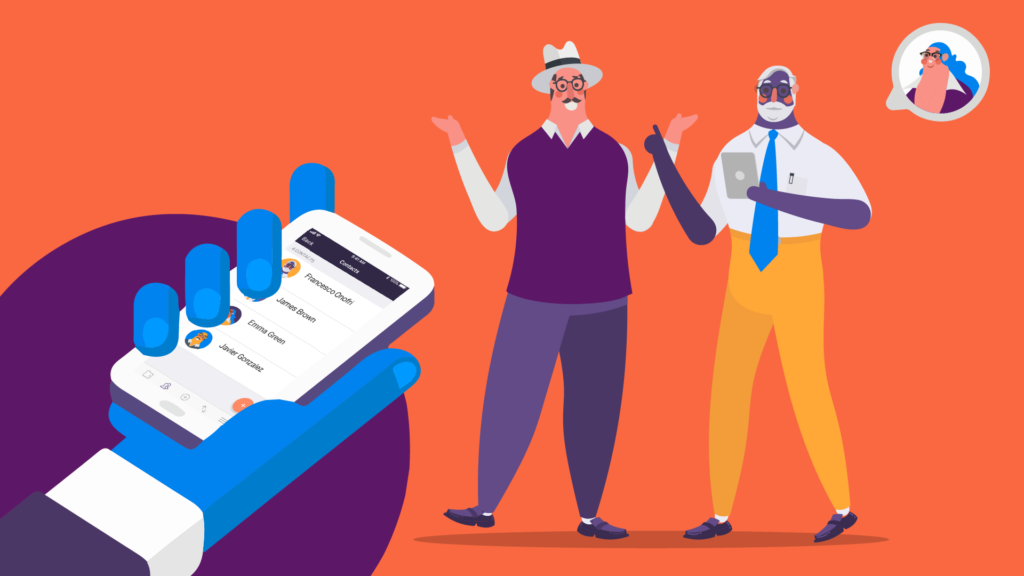
HushApp contacts have a section within the application that you can easily locate in the lower section of the screen, on the left side, right next to your Hushbox. Once entered, you will be able to visualize them and we will show you how to handle them.

One of the advantages of the Android version is that it will automatically show you all the contacts you have in your phone’s calendar. This means that you don’t have to add them again; you can also add others if you want.

1) Add your HushApp contacts

When you access this section, you will have an option to add (orange button with the + symbol) located in the lower right part of the screen. There you can add your contact,. i If they are already registered to the application, just by writing the first letters of their name will appear immediately, click on the “add” button and itthis contact will alreadybe placed be among your existing HushApp contacts.

You can notice that yourYour contacts are identified in the same way in your personal agenda, it even includes their avatar, so that you can locate them easily.

2) Secure sending with your HushApp contacts

Sending files to your contacts from the HushApp is very simple, you. You just simply have to choose what you want to send from your Hushbox or upload them through the Dashboard (the purple screen located in the middle section at the bottom of the app). Then, select who you want to send the information to by clicking on the people chosen.

3) Sending to contacts that do not use the application

You can also send to acquaintances who do not use the application, you only have to add their email address in the same contacts section.

Start using HushApp today.
SIGN UP
The only step that must be taken is that you will have to add a password and send it through another source in order for them to access the information sent. This will guarantee that your files will be safe from falling into unauthorized hands.

When making a transfer from the Android version, you can add a note to any of your contacts if you wish, with the peace of mind that this note can be read only by you and your recipients.

4) Control transfers of your contacts

Another advantage of being able to manage your HushApp contacts, can be found in the  is in the “Received” tab, . Here you will be able to control the sent transfers. You can see the date and time of each transfer, and  and who sent it to you, all while having always with the peace of  mind that your files remain are safe and that nobody but you can access them.from anyone unauthorized.

Do you want to know more about HushApp? Watch this simple tutorial

Any additional questions contact us through: [email protected]

Filed Under: HushApp News, Sin categorizar Tagged With: HushApp, HushApp contacts, manage contacts., protect files, Secure sending, send files

6 tips to protect intellectual property on the internet

June 26, 2018 by HushApp Team Leave a Comment

6 tips to protect intellectual property on the internet

It is not an easy task to protect intellectual property, and as an artist, the internet can be a double-edged sword. On one hand it is a way of diffusion assured to announce your work, but on the other hand, you also run the risk of coming face to face with one of the greatest fears of any creator: the violation of your copyright.

Surely you have heard this debate between content access and copyright protection. On one side many people are in favor of diffusion and against intellectual property. This camp argues that art should be shared with society otherwise it would not be art, but what about the rights of an artist? How can you protect your creativity and effort?

It is important to know the rights you have regarding the intellectual property of your work and how you can protect it.

What is intellectual property?

The intellectual property right affects unique creations, but not industrially or in a series produced, it reflects the personality and spirit of the author. These are personal and/or patrimonial rights that protect your creation, guaranteeing its disposition.

It can be applied to everything involving creative works such as: literary works, theater plays, films, artworks, drawings, paintings, photographs, sculptures, architectural designs, softwares, and video games among other thing.

Certain topics like ideas, procedures and operation methods are excluded from this right. In addition, the protection begins during the work’s inception, and lasts throughout the life of the author up until 70 years after he/she’s death.

Each country has its copyright laws, and although they are similar, it is important to know what they are and how they register your work. In Spain, for example, one of the most important is the SGAE.

On the internet, the artwork has more reach and it is more difficult to control, so what can you do to protect intellectual property on the internet?

Tips to protect intellectual property on Internet

If your artwork is digital (graphic design, illustrations or digital photos) or physical (paintings or sculptures) it is advisable to have a digital photographic record. In both cases, you can follow these simple tips.

1) Use Creative Commons for non-commercial use
It is essential for published images on a web page to maintain a Creative Commons license for non-commercial use. This means that while everybody will be allowed to download or make changes to the image they cannot legally publish or take credit for the image or changes made to it.

This is the most restrictive option of Creative Commons. In addition to Creative Commons, there are other licenses where you can define handling and modifications of images by another user while continuing to protect your authorship.

2) Convert images to Flash
This option does not allow you to download or copy photos from the web before uploading the images and converting them into flash slides. This is done through a special converter or by hiring a web designer.

3) Watermark your images
Use a watermark with your logo or name on the image, you can also add the symbol © or the abbreviation “Copr”, with the year it was made. Try to make it visible, so that it can not be edited or cut easily. Although some artists do not like to add it for aesthetic reasons, it will make it clear who the author is.

Showing your work to clients:

If you want to send your works directly to a client, you are also running the risk that they may plagiarize your work or get it into the wrong hands, in this case, you could take other measures to reinforce your security:

4) Sample images and low resolution:
In addition to applying watermark or grant Creative Commons licenses, you could send some samples in low resolution, you may lose quality, but at least you keep the work’s essence. Another suggestion is to select some images and give them other licenses less restrictive to share with customers.

5) Send your works with secure applications:
Another danger of sharing artwork online is that they could be intercepted by a hacker and reach unwanted hands. One way to send your digital creations to specific customers is by using tools that allow you to send files in a secure way, using encryption systems that guarantee your files reach the recipient you choose.

With The HushApp, you can select your artworks with the original quality, send them to your client, even if they are not a user of the application, you only need to add their email address. Due to its end-to-end encryption technology, there is no way for anyone to access the files, except you and the recipient.

It is difficult to protect intellectual property in a globalized world where laws change constantly, but at least you can take measures to clarify your authorship and control their diffusion.

Filed Under: Cybersecurity Business Tagged With: copyright, copyright laws, intellectual property, intellectual property on Internet, Protect artworks, protect designs, protect files, Protect intellectual property, send files, share files

Meet HushApp: 3 things you can do with your HushBox

June 22, 2018 by HushApp Team Leave a Comment

Meet HushApp: 3 things you can do with your HushBox

Previously we introduced you to the HushApp, a web and mobile application that helps you send and store any file in an easy and secure way, but how? The answer lies within the multiple features that the app possesses. One such example is end-to-end encryption, which gives your files a heightened level of security. Another feature exclusive to the Android version is the HushBox. Further down we will explain the three things you can do with HushBox to effectively protect your data.

When you enter the application your first access point will be the Dashboard, a purple screen from where you can send your files. At the bottom of the screen the different sections available to you will be visible, the icon further to the left will take you to the HushBox.

What can I do there?

3 things you can do with your HushBox


Save files

Encryption is easy with HushApp!
DOWNLOAD

When you enter, you will find a space where you can safely store all kinds of files: photos, videos, presentations, documents, etc. These files will remain encrypted in the device, ensuring that nobody but you can access the information within.
One of the advantages of the encryption method used by HushApp is that it encrypts files separately, which gives you both a higher level of security and easy access to individual files. You can open a document to view it, and when you finish, it will remain protected.

How to save them?
When you access this section you will have an option to add (orange button with the + symbol) where you can select folders or files on your device that you want to protect.

To get more out of your HushBox, when making a transfer, you have the option to choose to have that file automatically saved securely.

Sharing files

Sharing files securely from the HushBox is a simple action. You only have to click on the document options (the three points above and to the right) and choose “share”. Select the contacts you want to send your files to (even if they do not have the application, you can add their email address) and voila! your files were shared safely, and only those who you have chosen can access them.

Organize files

In the received tab, you can control the transfers that your contacts send you. These files will be saved in the inbox folder of your HushBox. From there you can organize them by folders as you decide with the peace of mind that all your information is still protected.
In HushApp, only you have control. Do you want to know more about how it works? Watch this simple tutorial. 

Any additional questions contact us through: [email protected]

Filed Under: HushApp News Tagged With: encrypted files, encryption, HushApp, HushBox, Save Files, Sharing Files

22 frequently asked questions about how to share and send files in a safe way

June 14, 2018 by HushApp Team Leave a Comment

22 frequently asked questions about how to share and send files in a safe way

Every day new applications are sent to the market that allow us to send files to our contacts in a complete and timely manner, this means that sharing information in digital is part of our day to day. The problem is that we do not always do it the right way.

With the rise of cybercrime, many questions arise about whether we are taking the necessary precautions when sharing information, especially when it comes to confidential data. That is why we decided to answer the most frequent questions that are asked about this topic.

What you need to know about share and send files safely

1. Why is security so important to sending a file?

It is common to hear about large and serious leaks in high confidentiality data companies in the news. Today hackers have more powerful tools than ever that allow them to intercept valuable information. If you do not take the necessary preventative measures, the consequences could not only revolve around reputation but finances as well.

2. Is it wrong to send files by email?

Not bad as long as the information you send is not confidential. Take into account that emails with attachment are a bait used to infect with malwares the computers of the recipient.

3. How safe is it to send files with cloud services?

Cloud services currently have many options that streamline the file-sharing processes. However, we must bear in mind that they are also vulnerable to being intercepted by someone unwanted. It would be advisable to establish strong passwords and, if possible, configure double factor authentication.

4. Is it secure to send files by chats like Facebook Messenger, Telegram or Whatsapp?

Facebook Messenger, Telegram and Whatsapp are some of the most globally used messaging services, but they do not all share the same level of security. The Facebook chat is considered one of the least secure considering that it does not have an encryption system, not to mention that all conversations are stored. Telegram and WhatsApp, although having a strong encryption system, still put information at risk due to ease of use and virality.

5. Are files shared through services like Wetransfer or Mega protected?

These services are useful for fast heavy file transfers, but they do not involve maintain a high security level. Like other cloud services, files are exposed to being intercepted.

6. What applications should I use to send files securely?

We advise that you an application that allows you to encrypt files, while also guaranteeing you that their technology completely protects your files from the moment they arrive up to the point that they reach the chosen recipient.

7. How do I make sure I’m sending files in the right way?

Although there is no infallible system, it is crucial to find one the one that best suits your needs. You must spend time choosing the application that offers the highest security level and ensures protection in all transfer phases.

8. What is file encryption?

An encryption software takes data and creates a shell that makes it inaccessible and illegible for those who want to access without authorization. Encrypted information can only be unlocked with a predetermined password.

9. What is end to end encryption?

It is an encryption system that keeps the content protected in all phases of the process, only the sender and its recipient will have the access code.

10. How does encryption work when sending files?

The file is encrypted with certain encryption protocols in the device that it sends based on unique passwords and transfers it to the addressee. This makes addressee the only person who will be able to decrypt it.

11. What should I consider when choosing a program that protects my files?

The more encryption systems the application integrates, the more effective it will be. End-to-end encryption and zero-knowledge technology are great examples of programming that ensures that developers/hackers can not access your files or passwords.


send files safely
The HushApp is an application that is safe and easy to use, while also including end-to-end encryption.


12. How do I know that the files will be safe when they reach their recipient?

Ideally, the receiver should use the same security software so that received files will remain encrypted. Even if the receiver does not have a specific software, the file will remain secure until it is decrypted and downloaded by the receiver.

13. Is the server of the program I am using safe?

Depending on what you want to protect, you must increase or not the security level of the server you select. If the one you use works with military level encryption, with multilayer encryption or backup services, you can be sure that your information has the ideal level of security.

14. Is the server located in a secure geographic location (with respect to local information regulation / GDPR)?

If you are sharing documents with your clients, it is necessary to have total transparency of a file’s storage location. The new General Regulation Data Protection (GDPR) this information should be even clearer.

For this reason it is essential to seek local legal advice. This means that when selecting a file exchange provider, ask where those files will be located and which legal regulations they should operate.

15. What applications are recommended to be used in companies?

Adequate encryption systems for the transfer of secure files and servers with the highest level of security. It is important that they allow the participation of several users and that they also comply with local data protection regulations.

16. Is the application to send my files compatible with the workflow of a company?

It is essential that a company manages the information that moves inside carefully. In addition, the program must have multidisciplinary team management systems that can be easily adapted to the constant flow of information that exists in a company.

17. How can I control what is sent and shared within my company?

There are tools adapted to the business environment that allow you to manage the flow of information in the company easily and safely.

The HushApp has a version adapted to companies, with which you can exchange and send files in multidisciplinary teams in a secure way while controlling the access and management of other users’ permissions. In addition to this you are able to access a history of file transfers sent and received, all while complying with the current European legislation.

18. Are they easy to use applications?

It depends. It is important to choose an application that monitors security levels and offers a good user experience and usability. This allows for a simpler implementation and easy learning for employees.

19. Is it safe to work with FTP?

FTP file transfer is a system that many companies still use that allows the uploading of files to a server. This means that whoever needs to access these files can view them from another computer with a username and password. The problem with this is that a password is not as effective as the encryption, since it is only protecting the access and not the file itself. It is ideal to upload already encrypted files, even if it is a little more time consuming.

20. Is there another safer method than encryption?

So far, no, but there are different types of encryption that can vary the level of security and adapt according to what you need.

21. Is a premium account better than a free account?

Everything will depend on what each one offers. It is not necessarily true that a premium account is better than a free one, it must adapt to the needs of the shipment. The important thing to review is the actual security offered by each.

22. Are the documents that are worked on collaboratively safe?

Currently, there are online tools that allow more than one person to edit a document in real time. This type of functionality is very useful for work teams trying to manage time.

However, this type of service does not offer optimal security measures since there is no way to protect them while they are being edited. It is not advisable to work on sensitive information for the company in these type of settings.

Filed Under: HushApp Tips Tagged With: encryption, encryption system, end to end encryption, exchange files, send documents, send files, send files securely, share documents., share files

How do I protect medical results and diagnostic tests?

June 12, 2018 by HushApp Team Leave a Comment

How do I protect medical results and diagnostic tests?

Nowadays, doctors, laboratories and hospitals use technology to communicate with their patients, looking for the fastest way to send their medical results. Generally, they use hospitals and web portals to publish results in addition to sending them via email. Despite the speed and ease of access, there remains a question: are these routes really the most appropriate or safe? What is the best way to protect medical results?

Patient results often contain delicate health information that should be considered sensitive and private. Therefore, physicians, radiologists, laboratories or any other entity in the health sector that has access to patient information is responsible for protecting these results while delivering them to the recipient.

The new General Regulation of Data Protection (GDPR) requires that patients’ information  be treated more cautiously, due to this data being classified as “sensitive”. This label implies that the mishandling of these records could have serious consequences for the patient’s personal life or for those who handle the information, in this case the hospital or doctor.

It is important to know what the correct use of this type of data is, and what precautions should be taken to ensure that it reaches the patient safely. It is the responsibility of both parties to use the appropriate channels to transmit the data.

Encryption to protect medical results

As previously stated, protecting tests is a necessity that must be taken seriously, regardless of the result. Lack of protection could lead to serious problems. For example, a person who does not have the proper knowledge could intercept and misinterpret the results and give the patient an incorrect diagnosis.

Ideally, medical centers should have adequate tools to ensure that the results will reach the patient so that they receive a diagnosis along with the appropriate instructions without causing any unnecessary problems. Encrypting the data shared between doctor and patient is the best way to achieve this goal.

Today there are file encryption tools which allow you to send files simply while ensuring they  reach the chosen recipient. With this type of solution, medical centers can digitize results and send them to patients without risking their privacy.

HushApp is a tool that can be adapted to this need in the medical sector. It is comprised of end-to-end encryption technology, which will greatly reinforce the protection of medical results. It is also ideal for small consultations because it does not require complicated facilities and maintains a very concise learning period.

Overly complex technologies are unnecessary to protect medical tests. The HushApp makes the process simple, and will ensure the privacy of patient and physician alike.

Filed Under: Cybersecurity Business Tagged With: patient results, patient tests, protect medical results, send medical tests

  • « Previous Page
  • Page 1
  • …
  • Page 3
  • Page 4
  • Page 5
  • Page 6
  • Next Page »
logo HushApp made in EU

HushApp allows to protect and send files safely without complications, in any platform. Sign up for HushApp and enjoy the peace of mind of end-to-end encryption.


Product
Features Pricing Android App iOS App coming soon Web App
Users
Book a demo FAQ Guide Support
Business
Hush for Business GDPR Use cases
About
About us Jobs Terms of Use Privacy Policy Legal
This website uses cookies to improve your experience. We'll assume you're ok with this, but you can opt-out if you wish.Accept Read More
Privacy & Cookies Policy
Necessary Always Enabled