• Skip to content
logo logo
  • Blog
Login SIGNUP

cyber attack

9 tips to use Facebook safely and not compromise your privacy

April 3, 2019 by HushApp Team

9 tips to use Facebook safely and not compromise your privacy

Social media has changed the way we communicate today, but it is still controversial as far as user safety is concerned. Facebook is the best example, not only because of the immense number of users it has but also because of the conflicts that the company has experienced recently, which leaves the level of privacy of its users in question. Despite this, some are reluctant to leave the popular network, since it has become an essential way of communication for them. Therefore, the question arises: Is it possible to use Facebook safely without compromising privacy?

These questions are also raised by the imminent need of parents to protect their children, who are regular users of the popular network. However, cyber attacks become more advanced each day and anyone can be the victim of cybercrime through social media: fake news, phishing and other types of fraud frequently occur, and even the most cautious user, can fall into one of them.

It’s time to sharpen your eyesight and go one step ahead of cyber attackers, you can continue to use Facebook safely, by following some simple steps:

How to use Facebook safely? From the basic to the most advanced configurations:

1) Do not accept friend requests from strangers: The first step is to control those who have access to what you publish, therefore, by common sense, it is better to only accept people you know. It is important that parents educate children and make sure that young people do not accept requests from strangers.

2) Set up your profile so that only your friends can see your publications, you can even select specific people to see or not each publication.

3) Avoid publishing information related to your location. Some people use geolocation to show where they are on vacation for example, in any case, if you want to do so, add the photos after returning home, when you are no longer in the place you show.

4) Do not post your phone number, address, names of children or pets, this can be an easy clue for cybercriminals to guess your passwords.

5) Control who can connect with you: If you enter the section “Settings” and then “privacy”, you can control who can connect with you. There you will have several options that you can define in terms of who can see your activity and how they can contact you, for example: you have the option to receive friend requests from everyone or just friends of friends. Previously, Facebook had a “preview” option to know how your profile looked for other users. However, the same platform announced this function is disabled, due to a security incident with this tool.

6) Check the permissions of the apps and websites: In this section, you can see and control the applications and websites that you have connected to your Facebook page. You can see which ones are allowed, delete those that you do not want to use or deactivate the platform completely. If you click on each of them, you can see what kind of information that application or website accesses.

7) Report offensive content: this option is present in many sections of Facebook and serve to allow users to report offensive content, usually just look for the drop-down of the determined section and look for the option “Give Feedback”, then, a member of the Facebook security team will investigate and evaluate if it is appropriate to remove the content of the site.

8) Review in detail the section “Security and Login”: Facebook has added more layers of security to its users, especially to protect the login and prevent potential identity theft. It is important to review the available options periodically. If you go to configuration and then “Security and Login” there are different sections that are interesting and we recommend you to activate:

  • Check from Where You’re Logged In: in this section, you can see all the devices that have been connected, where and when they were connected, that will allow you to identify any suspicious activity in your account.
  • In any case, Facebook will also notify you if there is an unusual activity, such as a connection on an unusual computer. In the section “Get alerts about unrecognized logins” you can determine how you want to activate that notification.
  • You can also add two-factor authentication, either with a login code, through SMS or an authentication application of your choice.

9) Add encryption to Facebook notifications: One of the most advanced and interesting Facebook options is the encrypted notification emails. If you have them activated, you can use PGP encryption to protect these messages from possible intruders.

What can this serve you for? An example could be that for any reason you lost your password and you need to resort to the password recovery mail, with this functionality you would be ensuring that only you can read that email.

A more advanced feature that will require you to understand the encryption topic a bit more. If you succeed, you can enjoy your Facebook safely.

On the web the risks are everywhere, therefore the important thing is to improve our experience, to know the risks and advantages of each application that we use and the sites we visit.
Filed Under: HushApp News, Sin categorizar Tagged With: cyber attack, cyber attackers, cybersecurity, encryption, Facebook, hacker, hackers, phishing, two factor authentication

10 tips to ensure your web page of possible cyber attacks

December 11, 2018 by HushApp Team

10 tips to ensure your web page of possible cyber attacks

A web page is not complete if you do not add the necessary security levels. According to Hootsuite, 82% of users immediately leave a page if they feel unprotected when visiting a website. Therefore, it is useless to have a nice and easy to use website if it is an easy target for hackers who can carry out possible cyber attacks.  

The cybercriminals have a wide range of tools that they can use to attack you through your web page. The most severe dangers that you may encounter will be the access of sensitive data that is exchanged on your website, a virus or malware, or even send emails from your accounts using your identity.

Another important point to consider is that major search engines such as Google have increased the penalties for unsafe websites, therefore your website would have less exposure to searches due to lacking the appropriate security for your website. There are some fundamental measures to ensure your website is safe from possible cyber attacks. The following are some ways to protect yourself and help safeguard from a potential attack.

How to secure my website of possible cyber attacks?

  1. Add HTTPS security with an SSL certificate: The basic rule of how to know if a site is safe or not is to check if the beginning of the URL is “https”. Websites that have this have a padlock, and for this you need an SSL certificate. The typical connection where websites are hosted is HTTP, notice it is the same but there is no  “s” at the end. This website would be open to leak any sensitive data of users such as users and passwords or banking information if it is an e-commerce.

Using HTTPS, an encrypted connection is established between the browser and the website therefore data cannot be intercepted. The SSL certificate is what will provide this encryption and you should only install it on your hosting, the way to do it will depend on the provider.

Another clear benefit is that by having these type of secure pages, search engines will give them a better promote them.

  1. Add a Security Seal to a website: Having a site seal is an extra layer of security  because it acts as an antivirus for your page. These stamps can monitor your website under searches of malwares or viruses that may have been loaded by a hacker, and it notifies you so you can eliminate potential harm.
  2. Keep your website code updated: Just like you do with any application or software on your devices.
  3. Similarly, keep the platform and the scripts updated especially for the CMS (content management system) that you use.
  4. Change the prefix of the table in the database of your website: In the case of blogs like WordPress they have the default prefix “wp”, this can be changed and it will be harder for hackers to obtain information from your website.
  5. Place a password on the database of the site, thereby adding more protection to the information collected by your website.
  6. After having uploaded or updated the content of your website, be sure to delete the copy that remains in your device. Mainly since if you do not, any cybercriminal could access your computer and have access to your files, therefore save them in a secure place.
  7. It uses a CDN: A content delivery network consists of a network of several servers that are spread over different points between which the work and information is distributed. Its advantage is that if one server is attacked, the others serve as a backup.
  8. If your website is an e-commerce, you must ensure that your customers can trust it.
  9. Use robust passwords to access your website: Although it seems obvious, many people omit it, thereby making a hacker’s life much easier especially if they are seeking to access all site content, so you must protect it.

Although no measure is 100% infallible to avoid possible cyber attacks, the more layers of security you add to your website, the harder it becomes for hackers.

Filed Under: Cybersecurity Business Tagged With: CDN, cyber attack, cybercriminals, e-commerce, malware, passwords., scripts, sensitive data, SSL certificate, virus, website code, websites

How to use a public WiFi without compromising your security

November 6, 2018 by HushApp Team

How to use a public WiFi without compromising your security

One of the basic measures to protect yourself from a cyber attack is to avoid connecting to public networks. Often times they lack security whatsoever and can be an open door for cyber attackers. However, sometimes there is no choice but to connect to a public WiFi, in that case, you can take some precautionary measures that will allow you to navigate in a more secure way with this type of connection.

10 Tips for using public WiFi securely

  • Make sure you connect to networks with WPA security or WP2, avoid networks with WEP security, as they are not secure enough.
  • Use a VPN: If possible use a virtual private network (Virtual Private Network), so the IP address of your devices will be hidden from the websites you visit, your browsing is completely anonymous. Web traffic is also encrypted, which means that even your Internet service provider can not see your activity online.
  • Keep all the software and applications on your devices and mobile devices updated.
  • Always try to navigate through secure pages, where data travels encrypted (with the URL that starts in HTTPS).
  • Disable the synchronization processes of your equipment by connecting only what is necessary when you use the public WiFi
  • Avoid logging into any service or website where you need to place your username and password. Avoid making banking transactions, online purchases or other tasks that involve exchanging sensitive data through this type of network.
  • After you have connected to a public WiFi network, it is convenient to delete from the memory of your devices the list of old SSIDs or public networks to which you have previously connected.  
  • It is essential that you have installed security solutions for your equipment, which can keep viruses and malware away. There are also other options for mobile devices that analyze the existence of possible connections, alert, and ask for confirmation when you want to connect to one of them.
  • Encrypt your files and avoid sharing sensitive information through such networks: In addition to adding security solutions to prevent any potential cyber attack, you should make sure your files do not reach unwanted hands. Using the HushApp Hushbox you can keep your files safe, as they will remain encrypted on your mobile device. You can also share your files with your contacts (even if they do not have the application) and they will remain protected, from the moment you send them until your recipients receive it.
  • Disable the automatic connection: Generally we have activated this option, to be able to search for a Wifi and thus avoid spending our data. It would be advisable to disable this option,  and make the connection manually to ensure that when you need to connect you can simply check if you meet the security measures mentioned above.

The criminals will take advantage of any small oversight to access your equipment and finally to your most private information. You must follow all possible security measures that you can take to avoid a cyber attack.

Filed Under: HushApp Tips Tagged With: confidential information, cyber attack, cybersecurity, HTTPS, HushApp, HushBox, network, public Wifi, VPN, Wifi, WPA, WPA2

What is Two-Factor Authentication and Why Should You Use it?

September 27, 2018 by HushApp Team

What is Two-Factor Authentication and Why Should You Use it?

Surely you have found more than one service that asks you to twice to confirm that you are really the one trying to access the content. This method is known as two-factor authentication, or multi-factor authentication because it is more than one test. Although this process may be a bit tedious, we will explain why it is necessary to apply it in each application that allows you to do so.

According to Wikipedia, ¨Multi-factor Authentication (AMF) is a method of computer access control in which a user is granted access to the system only after he or she presents two or more different proofs of who he claims to be, These tests can be a secondary password, digital certificate installed on the computer, among others.¨

The best known method is the two-factor authentication (A2F), which only requires two tests. Services that incorporate this identifying method into their system include ICloud or Gmail Outlook, cloud services such as Dropbox, OneDrive, iCloud PayPal, or social networks such as Facebook and Twitter.

Two-Factor Authentication and Two-Step Authentication

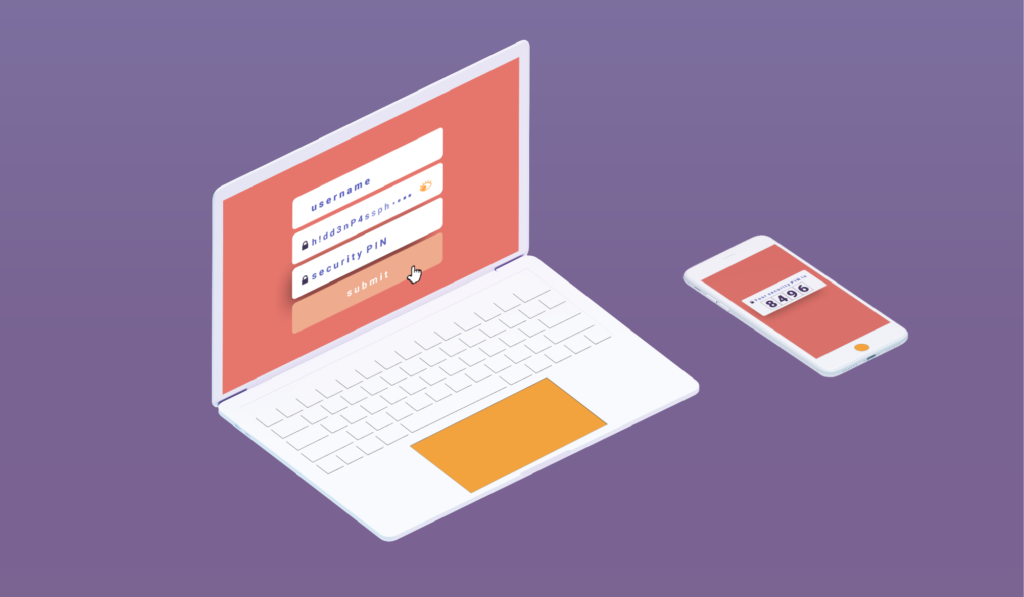
The basic authentication systems work with the typical user / password combination. The user that identifies you, and the password that authenticates who you say you are. However with the advancement of technology and cyber attacks, double authentication (or multiple factor) adds a more robust method to properly identify the user. For instance, a USB token, a coordinate card or even something more unique to authenticate the individual such as, a fingerprint, an iris, a voice or even the user´s  face.

It should not be confused with two-step authentication, since in this case two factors are used that add a second step to verify that you are who you say you are (such as when using a password and then a code that is sent by SMS or email). In the case of the A2F, different methods or tests are used that add on an additional layer of security.

Disadvantages:

Like any security system, it has its advantages and disadvantages, which must be considered when implementing. One of the disadvantages of double factor authentication is that if you misplace or lose your identifier, such as a token or coordinate card, then you will not be able to access the system. You will be forced to request it again.

Also in the case of two-step authentication, such as the one implemented by Google, a verification code is sent to an alternative device for the user to confirm in the case their email is locked out and to ensure that the user is legitimate. However, there is a risk that if this device is lost, the code can not be accessed.

How Secure is Two-Factor Authentication?

Although two-factor authentication has proven to be a breakthrough in terms of security, it still has its vulnerabilities. Recently the former hacker, now security consultant Kevin Mitnick explained that just by using a bit of social engineering, you can get sensitive data from a person.

Individuals must be diligent of the websites they are using even if they appear to be real. Investigating the website for any warning signs such as spelling issues in the domain. For example, Linkedln -with ‘ele’ lowercase instead of ‘capital letter’ is a red flag and could be a trick played by a hacker to get you to fill in your personal information. This would allow them in the future to be able to skip the two-factor authentication and gain access to any of your accounts. Therefore it is important to suspect any change, even the smallest, since it could be a fraud.

Adding two-factor authentication will not ensure 100% protection of your information, but it will reduce the chances of a cyber attack and make it much more difficult for the hacker. However, it depends on each person to implement it in all possible services. It does not hurt to have an additional layer of security to avoid any type of incident.

Filed Under: Cybersecurity Business Tagged With: 2FA, cyber attack, hackers, MFA, Multi-factor Authentication, social media, two factor authentication, Two-Step Authentication

Cybersecurity for employees: Creating cybersecurity culture in your company

August 21, 2018 by HushApp Team

Cybersecurity for employees: Creating cybersecurity culture in your company

As much as companies invest in sophisticated security systems, it will not help if efforts are not focused on the most vulnerable points of attack: the employees. They are the ones who access and manage the company’s information, therefore, training in Cybersecurity for employees must be part of the company’s organizational culture.

There is no doubt that companies are the preferred target of cyber attackers. These criminals take advantage of the little knowledge and carelessness of employees. With just a click, they have the ability to access the confidential data of the company. Therefore, all employees must understand the risks that exist and that may affect not only the company, but themselves.

Achieving adequate training should not only be an IT department responsibility, rather the board of directors must lead the change and be the example to follow, so that the entire team can be prepared to face any attack.

Some tips to implement training actions in cybersecurity for employees could be:

Beyond all security systems that can be implemented by the IT department, it is about training the employee regarding the proper use of each electronic device available in the company.

It is essential that employees understand the importance of using strong and unique passwords, not to leave them in plain view of anyone, not to reveal them by any media. They can also be taught to use password management tools.

Train employees to recognize safe sites to navigate, (they can look for the S of the HTTPs protocol or the lock). They can also be prepared

Give HushApp a Try!
BOOK A DEMO
for some kind of phishing or performance simulation tests them to check if they are alert for this type of attack.

Establish policies for employee mobile device usage: many companies have increased the number of corporate devices to provide flexible schedules, therefore there should be policies established that include personal devices use, if they access the company’s networks or for work management.

Implement secure and easy-to-use encryption tools: part of every employee’s day-to-day work is to share and send information to other contacts: colleagues, customers, suppliers, etc. A simple activity but that could compromise the company security if if some precaution is not taken.

HushApp is a tool that will allow employees to send files in an easy and secure way. Since it uses end-to-end encryption, they can also send to other people (as customers for example) even if they do not have the application, and they will still be protected.

Involving employees in the training

Imposing rules and restrictions will not ensure that all employees abide by them. On the contrary, it would complicate access to information. There will be slower processes and therefore greater dissatisfaction among employees. The idea is that the experience is pleasant and it becomes a habit.

Large companies are making campaigns to raise awareness among their employees about cybersecurity issues, such as Facebook, which organizes programs such as “Hacktober”, a tradition designed to build and maintain conscious culture about cybersecurity.

Marketing campaigns with contests, workshops, lectures and even games that allow not only spend a pleasant time for employees but promote good practices in the field of cybersecurity.  

INCIBE Awareness Kit to start:

The National Cybersecurity Institute (INCIBE) has anon its website Awareness Kit that incorporates multiple graphic resources, interactive elements and detailed programming to improve companies’ IT security.

Changing the behavior of an organization should not be seen as a simple list of tasks to be done, it is about creating collective awareness about the importance of training in terms of cybersecurity for employees, understanding the risks and consequences, to avoid future financial or reputational damage to the company.


Filed Under: Cybersecurity Business Tagged With: cyber attack, cybersecurity, encryption tools, HushApp, IT department, phishing

The best cybersecurity practices in the advertising world

July 31, 2018 by HushApp Team

The best cybersecurity practices in the advertising world

Advertising agencies are becoming the focus of hackers. For example WPP was targeted by a cyber attack last year, which cost this multinational ad agency about 17 million euros. Agencies of all sizes, even boutique ones, are under attack. The reason why agencies are so attractive to cybercriminals is mainly due to the amount and type of confidential data they handle on behalf of their clients. Therefore, if the appropriate cybersecurity measures are not applied, it can result in damage to your customers and their brands.

As you know, an online marketing campaign requires very specific planning, both to carry out market research and to develop an advertising strategy. It generally includes content to be developed in tools such as social networks, email and other marketing actions to attract potential customers.

In many cases, advertising agencies compete with each other to get an important brand account. During this process, confidential proposals are exchanged which, if they fall into the hands of the competition, can mean the loss of the client, with the consequent economic impact. That is why it is important to ensure the protection of this type of files.

It is also important to secure the creative pieces, before they are approved and go out to the public. It is regrettable that this type of sensitive information reaches the hands of hackers or unfair competitors, and that the losses have a negative impact on the income and the reputation of the agency.

Some risks that may occur are:

During the market investigation it will be necessary to share sensitive information with customers, this information will determine the effectiveness of the campaign. If these data are not sent with the right tools, they could easily be vulnerable to falling into the wrong hands, including competition.

Creative content and its tools: Content marketing is fundamental in a campaign. To do this, the agencies use content management tools such as WordPress, which allow them to create content periodically (in blogs, for example) and keep information about the company updated.

Because of its ease of use anyone with a basic knowledge can manage a WordPress account, and if not properly protected, a hacker could access the site and use it to their liking, even distributing malware to users.

Email is also widely used by agencies for targeted email marketing campaigns to contacts and customers. If a cybercriminal manages to access one of these accounts, he could not only have access to the contacts of the company, but could also send fraudulent or virus-infected emails, which would result in the company’s website or emails being blocked by the clients’ servers, and poses legal, reputational and financial risks.

Social networks are also an easy and vulnerable way to attack, and in addition you should be especially careful with the information that is published in this way, because of the ease and speed of dissemination that they have, they could also be channels of distribution of false information.

To avoid reaching any of the situations mentioned above, some basic cybersecurity measures to protect the information of a marketing campaign could be:

Cybersecurity measures to apply to online marketing:

– The fundamental thing is to use a strong and unique password that is difficult to guess, for each of the services mentioned above. It’simportant to set a different password for each tool, including each social network. 

Let’s encrypt together.
FIND OUT MORE

– It is also important to periodically perform all updates to each service.

– You should avoid connecting to public Wi-Fis if you are going to use this type of tools, since the data that is being sent at the time of publication does not have the needed level of encryption protection.

– In the case of email marketing, you can use software that offers monitoring.

– Ensure that personnel who have access to these tools are aware of the threats that exist and the security measures that must be applied.

– When you need to share sensitive files that compromise the research or business proposals that you do, use applications that allow you to encrypt the information from the moment you send it until it reaches the recipient. With HushApp you can send documents easily and safely, even if your recipient does not use the application.

Cybersecurity is an issue that should concern all business sectors, it is important that all company personnel are aware of the dangers of a cyber attack. In the case of the marketing sector, where the activity is mostly online, the dangers are much more likely, taking the measures and using the right tools, you can successfully reach your ideal customers.

Filed Under: Cybersecurity Business, Sin categorizar Tagged With: cyber attack, cybercriminals, cybersecurity, email marketing., market investigation, online marketing campaign, WordPress

Why use a passphrase instead of a password?

July 19, 2018 by HushApp Team Leave a Comment

Why use a passphrase instead of a password?

As technology changes and advances, so do cybercriminals. That is why every day sites on the internet, softwares and applications are required to ask users to strengthen their passwords. This is because, users continuously make the same mistakes, using a password that hackers can easily discover.

According to Google’s global data, 68% of people use the same password for different accounts, only 46% change it at least once a year, and 91% use a password that is in the top 1000 most common passwords in the world. This goes to show that we still do not know the magic formula to remember a strong and unique password.

Remembering all of our different passwords is growing more difficult: increased length, numbers, capital letters, lowercase letters, and symbols make it difficult to not make mistakes, or forget. Thankfully, there is a better option: how about we use a passphrase?

Passphrase: what you need to know

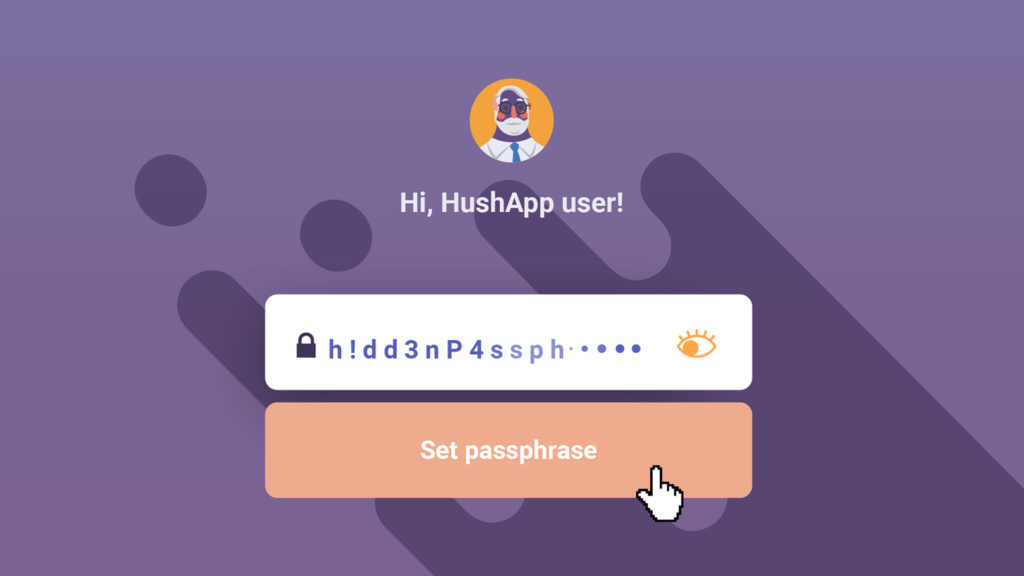
A passphrase is nothing more than a phrase that works like a password. It is commonly used in the encryption of access to some software or other electronic systems. Unlike the password, they are much easier to remember.

Not all applications or software have this feature, but you can choose this option if the service allows it, especially when you need to protect the content of the information you want to share. The rest of this article will be dedicated to offering some simple tips that will help you  build a safe and easy to remember passphrase.

Like passwords, passphrases must have a certain level of complexity, or at least creativity, something that makes it unique and that only you will remember. Although this principle is repeated when you create a password, in the case of a phrase it may make more sense than a set of symbols, numbers and letters. Therefore, avoid using familiar phrases such as excerpts from songs, books or popular culture.

Do not repeat the phrase, remember that a password is like a key, you do not use it to open the same room. With the passphrase it will work the same, use a different phrase for different services.

Also, do not share the method you used to create it, it may be a clue you give to hackers to guess your phrase.

HushApp: Passphrases to send your files easily and safely

Now that you know you have this option, you will wonder where you can use it. In HushApp the passphrase has a leading role to protect your privacy. Here you can encrypt your files and store them in in your Hushbox. You will only be able to access your files using the passphrase you have selected.

Start using HushApp today.
SIGN UP

You can also send your files to contacts you have selected, whether they use the application or not. In case you do not use it, you will also create a passphrase especially for them and send it to the recipient by other means. This way, you make sure that your information is completely secure.

Passwords have a vital function within the scope of cybersecurity, choosing the right one is crucial when stopping our information from falling into the wrong hands. The passphrase is an option to further improve the security and protection of your data, provided you give it the appropriate use.

Filed Under: HushApp News Tagged With: cyber attack, cybercriminals, hackers, HushApp, Passphrases, password

10 Cybersecurity tips for gaming consoles and online video games

July 16, 2018 by HushApp Team 2 Comments

10 Cybersecurity tips for gaming consoles and online video games

Cybersecurity is no game when it comes to the video game world. Like other electronic devices, they run the same risk of suffering from a cyber attack due to their internet connectivity. The following article will offer a few cybersecurity tips so that you can exercise security and caution while playing your favorite video games.

The dangers are the same as those that face any device. Through your video game console an experienced hacker can access personal data, credit card information or even violate your privacy through webcams. The problem is that most users of these devices are unaware of this risk, and do not take the appropriate measures.

Hackers and online video games

Video games allow interaction with other players, a tool that improves the gaming experience through competitiveness, however, this space exposes the user to possible attacks leading to private data and information loss.

Stealing virtual money, stealing player accounts (pishing), theft of personal data/credit cards, or even losing control of one´s device through malwares are the main objectives of a hacker in the world of video games.

Children are the most vulnerable to attract a hacker, they do not maintain the same level of caution and are unaware of where they are clicking. This can lead to downloaded viruses, or worse, data theft.

Cybersecurity tips for  gaming consoles and online video games

Therefore, it is advisable to follow some basic cybersecurity measures for video games and online games. These will allow you to continue enjoying the game with peace of mind. Here are some tips:

  1. Do not reuse passwords used in other games or devices, because if it is compromised, they will have access to other services.
  2. Eliminate the protection measures predetermined by the manufacturer, change them and adjust them to your specifications.
  3. Do not trust any notification that asks you to change your username and password.
  4. Download the games from the official websites.
  5. In the case of computers and mobile phones, always keep an updated antivirus.
  6. Avoid entering your credit card information, unless it is strictly necessary.
  7. As for children, establish strict parental controls to prevent them from entering unknown pages or links.
  8. Inform children of basic notions of cybersecurity that are appropriate to their age.
  9. Monitor and control what the children in your charge access on the internet.
  10. Protect important files that you save on the mobile devices you use to play. You can use HushApp and ensure that your information will be safe.

There is no doubt that these games provide entertainment for the whole family, however, we should not lack awareness when it comes to cybersecurity in video games. We can all be victims of cyber attacks.

Filed Under: HushApp Tips Tagged With: cyber attack, cybersecurity, Cybersecurity Tips, gaming consoles, hacker, online video games, video game

logo HushApp made in EU

HushApp allows to protect and send files safely without complications, in any platform. Sign up for HushApp and enjoy the peace of mind of end-to-end encryption.


Product
Features Pricing Android App iOS App coming soon Web App
Users
Book a demo FAQ Guide Support
Business
Hush for Business GDPR Use cases
About
About us Jobs Terms of Use Privacy Policy Legal
This website uses cookies to improve your experience. We'll assume you're ok with this, but you can opt-out if you wish.Accept Read More
Privacy & Cookies Policy
Necessary Always Enabled