• Skip to content
logo logo
  • Blog
Login SIGNUP

Cybersecurity Tips

How to succeed in choosing a secure VPN connection?

January 10, 2019 by HushApp Team

How to succeed in choosing a secure VPN connection?

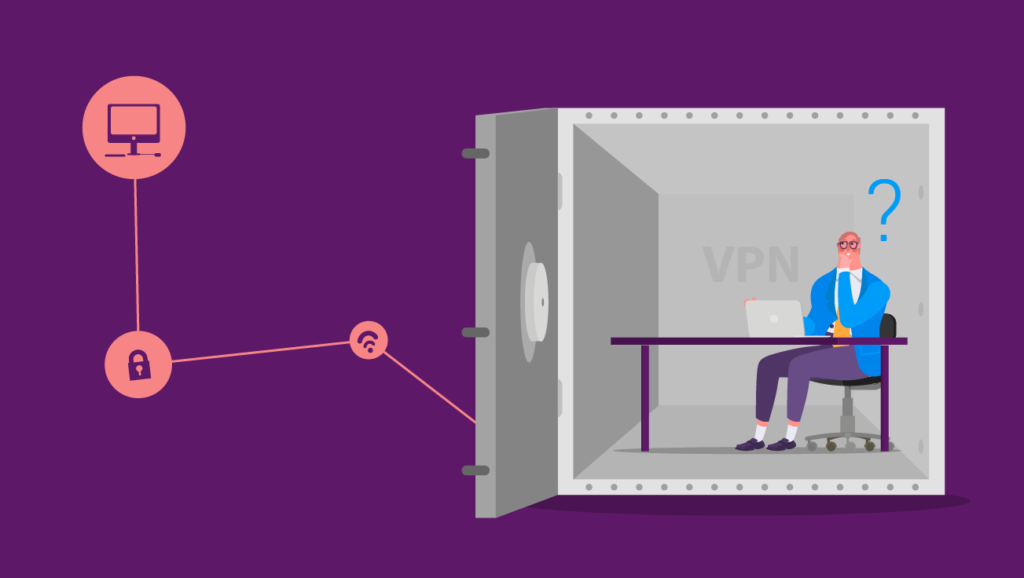
Previously we had commented in one of our post what is a VPN, its functions and the advantage of having it when using the Internet safely. However, this system may also have its cons that you should consider when making sure to choose a secure vpn.

As mentioned above, these networks allow the web browsing data remain incognito for the internet provider, but not for the company that manages the VPN. This means that we must trust whoever offers us this connection. How to know what service we can trust? Although the question seems difficult to answer, there are some tips that you can take into account to choose the most appropriate VPN, as well as the best quality.

Secure VPN: Free or paid version?

One of the main characteristics to take into account when choosing a secure vpn is to know if it is free or paid. Obviously, our first option will be free version, however, these versions usually have certain limitations, and although they cost nothing, the rest there is much to say …

Generally the speed is not adequate, they are also unreliable in terms of privacy. Since some VPN store data and the activity of its users, which can then be used to display personalized advertising or for illegitimate purposes.

Therefore, if what concerns you is security and confidentiality, it is better to make the investment in a paid version, with which you will have a range of options on the web.

Other aspects to consider

We are clear that we will have to invest to have a secure VPN, now the task is to define which fits our needs:

You can start by evaluating the reputation of the company behind the VPN, review user comments, blog or specialized forums , etc.

Take into account the location of your servers: as well as the laws that exist in the country where you are located and if they could affect your privacy. It is advisable to look for those that have a great worldwide presence.

Another basic point to choose a vpn is the speed: Generally the paid versions do not limit in this, however, it is important to consider the latency, rise and fall speed.

The type of data stored: Even if it is paid, it is possible to store some data such as the source IP or the time to which you have connected.

The protocols used by the VPN, since not all are equally safe. The most common are: PPTP, L2TP / IPSec, OpenPVN and SSTP. The PPTP is perhaps the least secure with some vulnerabilities discovered.

Of course, it does not hurt to compare prices and the forms of payment they offer, to know which one suits your pocket better.
Filed Under: HushApp Tips Tagged With: cybersecurity, Cybersecurity Tips, privacy, Secure VPN, VPN, VPN connection

17 essential tips for parents on Cybersecurity for children

August 6, 2018 by HushApp Team

17 essential tips for parents on Cybersecurity for children

There is no doubt today that children have the ability to use electronic devices and the internet, even the smallest kids already know how to play their favorite online games. This opens a debate among parents about what age should kids start using technology and how much time they should spend on it. Although there is no precise answer to these questions, here, parents can learn some tips about Cybersecurity for children.

According to a research by Norton, 87% of Spanish parents consider it risky to allow their children to use computers and mobile devices without any supervision; in fact, among the 3 biggest concerns are: children can suffer cyber bullying (92%), spend too much time in front of the screen (88%) and download malicious programs or applications (88%).

Despite the active awareness of these latent dangers, statistics say that most parents are not adjusting their parenting.  The study found that 68% do not limit access to certain websites or applications, 19% allows their children to buy online without surveillance and 57% allows them to use the internet without supervision.

Children on the Internet have a lack of supervision due to many reasons, one being parents not intervening to check the safety of their children.

Therefore, we invite you to read the following basic cybersecurity tips, which you can apply to control and protect your children about the dangers they are exposed to on the web.

Cybersecurity for children: tips for parents and children

  1. Limits how long your children can spend connected to the web, set those limits and make sure they are met.
  2. Watch the pages they visit, who they communicate with and what other actions they do on the web. And if you detect any access to some undesirable content for their age, you can talk with them about the subject and block access to the web or game.
  3. Recommend your kids to not use their real name on the web and never give personal information, such as phone numbers, your address, their school, or where they will go on vacation, etc. to strangers.
  4. Establish a VPN connection in your home to ensure that no online predator will have access into your system.
  5. Teach children to create unique passwords that they can remember or keep in safe places.
  6. It is important for children to understand that the digital world can be as dangerous as the real world. If they are usually taught not to talk to strangers, the same should apply on the web.
  7. Watch who they contact on the web and teach them never to meet a stranger in person they met online.
  8. They should never respond to any threatening messages. Let them know if this happens, they have to discuss it with you or the adult that is in charge.
  9. Try to place the computer in a common area, where you can monitor what they do. This can be challenging by the usage mobile phones or tablets, yet still possible, you have the ability to monitor it other ways.
  10. Bookmark their favorite sites to facilitate access.
  11. Pay attention to any changes or attitudes regarding the time they spend on the web: Do they receive phone calls from people you do not know? Have you noticed any unsolicited gifts that have arrived in the mail? do they not like to talk about their online activities? Although these questions may seem unimportant, they could be signs that your children are being cyber bullied by a criminal.

Cybersecurity for children in Social networks:

12. Show them how to recognize and block unwanted contacts. 

Stay tuned to HushApp's Blog!
SUBSCRIBE

13. Specify that they must only add contacts from people they already know.

14. Monitor their social networks, check who their friends are and what they publish.

How to use parental control

15. Disable online purchases, or set parental controls on their devices to control they use it.

16. Use applications to monitor what your children do online: what do they download? How much time do they spend connected?

17. You can also configure parental control in browsers to be sure which pages they can enter.

Technology is changing our way of life, therefore, encouraging parents to monitor their children online will allow the child to grow up understanding how to navigate the online world in a safe way. The web can be as dangerous as the real world, however they don’t need to stop enjoying it. The important thing is that parents start to implement this change in their daily lives. Cybersecurity for children is important and if done properly can be hassle free.

Filed Under: HushApp Tips Tagged With: cyber bullying, Cybersecurity for children, Cybersecurity Tips, mobile devices, online games, parental control, password, Social networks, VPN

10 Cybersecurity tips for gaming consoles and online video games

July 16, 2018 by HushApp Team 2 Comments

10 Cybersecurity tips for gaming consoles and online video games

Cybersecurity is no game when it comes to the video game world. Like other electronic devices, they run the same risk of suffering from a cyber attack due to their internet connectivity. The following article will offer a few cybersecurity tips so that you can exercise security and caution while playing your favorite video games.

The dangers are the same as those that face any device. Through your video game console an experienced hacker can access personal data, credit card information or even violate your privacy through webcams. The problem is that most users of these devices are unaware of this risk, and do not take the appropriate measures.

Hackers and online video games

Video games allow interaction with other players, a tool that improves the gaming experience through competitiveness, however, this space exposes the user to possible attacks leading to private data and information loss.

Stealing virtual money, stealing player accounts (pishing), theft of personal data/credit cards, or even losing control of one´s device through malwares are the main objectives of a hacker in the world of video games.

Children are the most vulnerable to attract a hacker, they do not maintain the same level of caution and are unaware of where they are clicking. This can lead to downloaded viruses, or worse, data theft.

Cybersecurity tips for  gaming consoles and online video games

Therefore, it is advisable to follow some basic cybersecurity measures for video games and online games. These will allow you to continue enjoying the game with peace of mind. Here are some tips:

  1. Do not reuse passwords used in other games or devices, because if it is compromised, they will have access to other services.
  2. Eliminate the protection measures predetermined by the manufacturer, change them and adjust them to your specifications.
  3. Do not trust any notification that asks you to change your username and password.
  4. Download the games from the official websites.
  5. In the case of computers and mobile phones, always keep an updated antivirus.
  6. Avoid entering your credit card information, unless it is strictly necessary.
  7. As for children, establish strict parental controls to prevent them from entering unknown pages or links.
  8. Inform children of basic notions of cybersecurity that are appropriate to their age.
  9. Monitor and control what the children in your charge access on the internet.
  10. Protect important files that you save on the mobile devices you use to play. You can use HushApp and ensure that your information will be safe.

There is no doubt that these games provide entertainment for the whole family, however, we should not lack awareness when it comes to cybersecurity in video games. We can all be victims of cyber attacks.

Filed Under: HushApp Tips Tagged With: cyber attack, cybersecurity, Cybersecurity Tips, gaming consoles, hacker, online video games, video game

Encryption for dummies: What is it and what is it for?

June 6, 2018 by HushApp Team Leave a Comment

Encryption for dummies: What is it and what is it for?

Surely you have already heard news of cyber attacks and data leaks as it is becoming increasingly common. Any person or company is exposed to an attack of this type if the necessary security measures are not taken, but what are these measures? What can you do to protect your information?. The most used and effective method to protect your data is a system of encryption with which you can feel secure that your information is completely protected. Have you heard about encryption? Do you know how it works?.

If your answer is no, it is time for you to start taking cybersecurity more seriously and begin learning more about it. That is why we have prepared this post, in hopes that it will help you better understand and apply it in the daily management of your files.

What is encryption?

To explain it in a simple way, encryption is a procedure in which any type of file becomes unreadable thanks to an algorithm that scrambles

Encryption is easy with HushApp!
DOWNLOAD
the files components. This makes it impossible for the file to be opened or decoded if you do not have the key to access the information. This  means that if an unauthorized viewer intercepts an encrypted file they will only be able to see a group of illegible characters, even if they manage to open it.

This system is not something new. Encryption has existed for many centuries, however, its modern use dates back to the First World War. During the conflict different blocks sent illegible messages back and forth to prevent the enemy from deciphering them in the case that they were intercepted in transit.

Encryption, Symmetric and Asymmetric what is it for?

The most common types of file encryption are symmetric and asymmetric.

The symmetric encryption system uses a single key to encrypt or decrypt, while asymmetric data uses two keys: one public to encrypt and one private to decrypt. In this way it is impossible to derive the private key from the public key.  

Advantages and disadvantages

It is important to highlight the level of security offered by data encryption. It is a much more powerful tool than a password (such as the start of the mobile or email), since they only protect access. Once the password is discovered, anyone with it has full access to the contents of the files. Encryption protects data directly, making it impossible to see the contents of files.

The only disadvantage to consider is the importance of not losing your password. After it is lost, all access to the data will be lost completely, as there is no way to change it. So all things  considered, the only additional requirement of encryption is greater protection of your passwords.

How is a file encrypted?

There are different levels of security that depend on the complexity of the algorithm used. Different encryption methods contain greater and lesser levels of sophistication and complexity.

At the user level, it is not necessary to use such complex tools. Currently there are applications that can help you encrypt your files both easily and quickly, while also to share them with your contacts in a secure way. This allows them to remain protected from the moment they are sent to the moment they are received.

We are the only ones responsible for ensuring the security of our information, so taking protective measures as a habit will help us avoid future problems.

Encryption is easy, check it with HushApp!

Filed Under: HushApp Tips Tagged With: algorithm, asymmetric encryption, cyber attacks, Cybersecurity Tips, encryption, file encryption, key, password, protect information, symmetric encryption

logo HushApp made in EU

HushApp allows to protect and send files safely without complications, in any platform. Sign up for HushApp and enjoy the peace of mind of end-to-end encryption.


Product
Features Pricing Android App iOS App coming soon Web App
Users
Book a demo FAQ Guide Support
Business
Hush for Business GDPR Use cases
About
About us Jobs Terms of Use Privacy Policy Legal
This website uses cookies to improve your experience. We'll assume you're ok with this, but you can opt-out if you wish.Accept Read More
Privacy & Cookies Policy
Necessary Always Enabled