• Skip to content
logo logo
  • Blog
Login SIGNUP

email

Now easier and safer to use: Meet the 5 new HushApp features

May 30, 2019 by HushApp Team

Now easier and safer to use: Meet the 5 new HushApp features

Every day we work to make your experience with our solution simple and at the same time provide the highest security and privacy for your confidential information. Therefore, we want you to know the new HushApp features, each one designed to streamline the communication processes between users without losing the ease of use and with total security.

Each step count, for example, to enter an email and password implies a time that usually we do not want to invest, although it seems little, we simply do not want to repeat it again and again. Therefore, from HushApp you can log in with your email accounts (such as Gmail or Microsoft) and you can also reset your passphrase securely, which will make your experience with our solution much more pleasant.

We introduce you the 5 new HushApp features

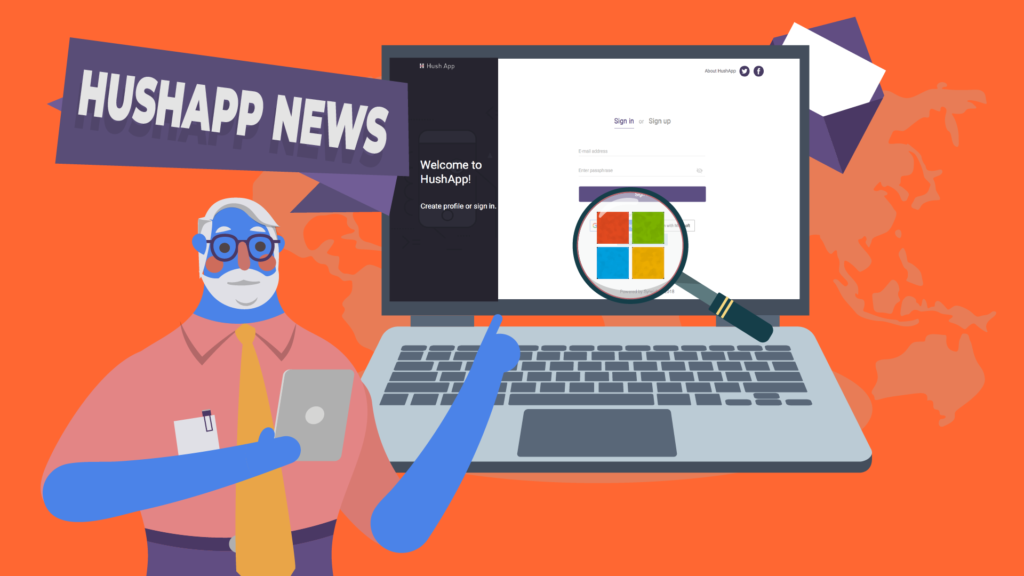
1) Integration with Microsoft tools: From now on, you can use your Microsoft account to sign in and access HushApp. In addition, you can manage your Microsoft contacts within HushApp by clicking on a new button available in the contacts section. Once you accept the appropriate permissions, we will show you which of your contacts are already HushApp users so that you can import them and which ones you can invite to join our community. 

If you have an Outlook, Office 365, Skype, or OneDrive account, … you can use it to access HushApp!

In addition, we are working on additional integrations with Microsoft. 

Give HushApp a Try!
BOOK A DEMO

2) Now you can reset your Passphrase: If you have forgotten it, or if you are entering a wrong password, a message will appear where you can click and send an email to HushApp Team to reset it.

Please note that from HushApp we will initiate an identity verification process for the privacy and security of our clients because that’s our number one priority.

3) You can send much longer messages: Now you can send longer messages to unregistered users who can then view them without problems on the download page after decrypting it.

4) Customize your profile picture: Now you can customize your profile picture in the settings section of your account. Change your photo whenever you want and identify your account as well as those other users.

5) Sending messages without needing to attach files: Another HushApp feature to highlight is that it’s now possible to send encrypted messages to your contacts without needing to attach files. This allows you a fluid and secure communication with other users from the application.

We also improved the transfer flow to adapt it to this new functionality, giving priority to the recipients and the message.

We will continue working on many other new HushApp features and we will soon tell you …

What do you think about our news? Take a look at our web version and feel free to leave comments on what you think about these new features!
Filed Under: HushApp News Tagged With: email, files, Gmail, HushApp features, Office 365, OneDrive, Outlook, passphrase, profile picture, send files, send files securely, share files, Skype

9 Cybersecurity Tips to protect corporate email from possible cyber attacks

August 27, 2018 by HushApp Team

9 Cybersecurity Tips to protect corporate email from possible cyber attacks

Email is still the best way for companies to communicate today, it is the most convenient way to send and share files. However, it is important to use with caution because many cyber-attacks that occur in companies, originate in email. A prime place where cybercriminals can get information directly from employees. To make sure your email is protected, follow these cybersecurity tips to protect your corporate email.

9 Cybersecurity tips to protect your company’s email

  1. Must ensure your employees understand the risks of a cyberattack and how to be safe so companies can cybersecurity culture in the company.
  2. Do not use corporate email for personal purposes, to avoid getting additional opportunities for unauthorized people to invade a company’s system.
  3. In case you lose your password, link your email to another alternative account, preferably another from the company. Add double factor authentication for added security.
  4. Do not post your corporate email address in forums, social media, etc.
  5. Create email accounts for different tasks, for example, using an additional account to subscribe to new services where your security policy is unknown. Having multiple accounts decreases chances of getting hacked and losing private information.
  6. Watch where you access with your email: Do not open your corporate email from networks outside the company, in case you have to do so, open a incognito window and close all other sessions.
  7. Beware of phishing: an email with malicious content is designed to deceive you, so it is important to be alert to any fraud, and analyze its content: an unknown sender, files with double extension that usually are computer worms or Trojans, even some design change could be an indication of a phishing email. If you decide to open it, check it with an antivirus.
  8. Do not respond to spam emails, you can give clues to possible attackers or scammers.
  9. Send your encrypted files: use an application to protect your files. An option can be HushApp, with which you can send and share files in a easy and secure way, it uses end to end encryption. You can also send files to contacts that do not use the application and the information will remain protected.

There is no guarantee that you will have 100% security, cybercriminals use different techniques every time to violate the company’s confidentiality, taking advantage of informing employees on proper security measures will help reduce the chances of being hacked. Therefore, the best way to defend yourself is by being aware of the risks and taking all available prevention measures. From the most complex systems you can implement to simple practices, such as these cybersecurity tips to protect email.

Filed Under: Cybersecurity Business Tagged With: computer worms, corporate email, cyber attacks, cybersecurity, email, HushApp, phishing, Trojans

logo HushApp made in EU

HushApp allows to protect and send files safely without complications, in any platform. Sign up for HushApp and enjoy the peace of mind of end-to-end encryption.


Product
Features Pricing Android App iOS App coming soon Web App
Users
Book a demo FAQ Guide Support
Business
Hush for Business GDPR Use cases
About
About us Jobs Terms of Use Privacy Policy Legal
This website uses cookies to improve your experience. We'll assume you're ok with this, but you can opt-out if you wish.Accept Read More
Privacy & Cookies Policy
Necessary Always Enabled