• Skip to content
logo logo
  • Blog
Login SIGNUP

encryption

Encrypting files: What kind of information should your company protect?

June 12, 2019 by HushApp Team

Encrypting files: What kind of information should your company protect?

Every time it becomes more common to hear that a company must pay a fine for not complying with data protection regulations in Europe in particular, the GDPR has become one of the major concerns of organizations. It is clear that data should be protected, the question is, what should we protect? And also, why encrypting files is the best way to protect your company?

Frauds, phishing, cyber attacks, data leaks, malware, among others, are terms that are becoming increasingly common; they are attacks to which any company or person is exposed to suffer at any time. To understand the consequences of this type of attack, you have to understand the causes of the problem, the information that the company deals with and how it is handled.

Personal data and privacy

Although it is not the only information that a company should protect, it can be considered the most valuable and at the same time vulnerable data that an organization manages. It is about everything that concerns the identity of a person, whether public or private, and each one decides whether it can be shared or not.

Everything that refers to personal data such as: contact data, physical characteristics, data related to your assets, biometric information, professional training, including ideological information, sexual life or ethnic origin, among others, refers to information that if reach the wrong hands, It could affect their reputation or safety.

It is not only about personal information but also about confidential information of the company that is also susceptible to a security breach and could cause serious financial problems.

What should be done with the information obtained?

It is the responsibility of the company to safeguard the integrity of the people from whom it handles such information. This refers to any type of action taken with these data: the way it is collected, processed, stored, transferred or even destroyed.

Therefore, the procedure should be:

  • Know the type of information handled.
  • Classify it according to its value, if it should be public, private and above all, who will have access or not.
  • Identify which are the possible threats and the possible consequences.
  • Apply the necessary tools for the protection of information, especially the most confidential one. In this step is where encrypting files is useful.

Encrypting files: Classification and examples of information that must be protected

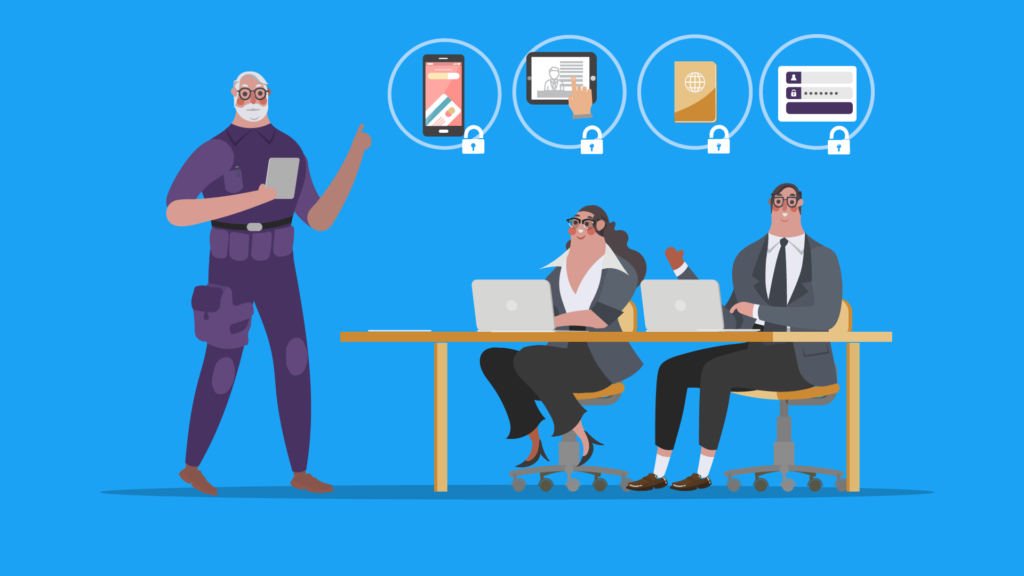
Some examples of information that must be protected with encryption systems can be:

– Company files: sensitive data for the company such as business secrets, bank documents, including passwords that give access to confidential documents, corporate devices, credit cards, market studies, etc.

In the case of personal files could involve employees, customers or any other person related to the company. Some examples include:

– Employee files: personal data of employees (such as those mentioned above), identification documents, medical reports, etc.

– Client files: Identification documents, payment data, contact data, among others.

In the case of clients, it is important to understand the obligation to protect the data they are offering and should be used only for the purpose they decided. Therefore, if you are requesting a client’s email to subscribe to the company’s newsletter, it should be used only for that and not for other purposes. For example, to promote other products of another company, since this can be sanctioned in many countries.

Why encrypt the files?

Encrypting your files can be one of the best options to protect the sensitive information of a company. Nowadays, the most used and effective method to protect your data is an encryption system, in which you can secure that information is completely protected.

It is important to highlight the level of security offered by an encryption system. It is a much more powerful tool than a password since they only protect access. Encryption protects data directly, making it impossible to see the contents of files.

Encrypting files easily with HushApp

To comply with all data protection regulations that each country requires, it is important to use the appropriate security tools.

That’s why we introduce you the HushApp. It is a safe alternative to other file submission services, since it facilitates the daily protection of company data and helps safeguard your customer’s sensitive information.

How? Implementing high-level encryption methods in a simple and transparent way for the user without affecting the efficiency of business processes. Security, usability and a good user experience are all our priorities.

Using HushApp you will have the opportunity to offer additional value to your customers, protect your own confidential information and allow your work team to perform easily and safely actions.

We invite to try HushApp …

Filed Under: Cybersecurity Business Tagged With: confidential files, cybersecurity, data protection, encrypting, encryption, GDPR, HushApp, personal data, privacy

Cybersecurity for remote workers: benefits, risks and how to solve them

May 3, 2019 by HushApp Team

Cybersecurity for remote workers: benefits, risks and how to solve them

Remote workers are already a business reality, and all companies should know how to manage them. Undoubtedly, this way of work brings benefits for both parties: the employee earns labor flexibility, and the employer can save on expenses that require having more employees.

The statistics confirm these benefits, according to a study carried out by the cybersecurity company OpenVPN, in which 250 IT managers were interviewed, 82% claim to have less stress working in this way, and 30% acknowledge that it allows them to do more work in less time.

Despite the benefits that the home office brings, this method has its disadvantages and can be very dangerous. 90% of IT managers recognize that having remote workers can be a risk to the security of the company. Furthermore, 54% consider that they represent a greater security risk than employees who work in the company itself. Even more alarming, 36% of organizations admit that they have suffered a security incident due to the actions of a remote worker.

It is possible to continue maintaining the benefits that home office brings us in a secure way, as long as the company follows some cybersecurity measures.

Cybersecurity measures for companies with remote workers

1) As with all IT security issues, the main thing is to know the risks to which they are exposed. Therefore, education in cybersecurity for employees should be fundamental, especially for remote workers and it should be part of the corporate culture.

Security policies must be established that clearly explain to employees how to handle sensitive information, especially those that are not within the workplace.

2) Establish basic measures of information security: using VPN, which will also allow the company to monitor who is connected, from where and what they have done. Teaching employees to use strong passwords or avoid using public Wi-Fi networks while they are connected from company devices. in case they have to, following the necessary security measures.

3) Classify the information that requires most protection: the company should review what type of information is accessible according to the profile of the worker, and if it is really necessary to have permission to modify it or it is enough to be allowed to view it.

4) Control devices that store sensitive information: the company must restrict access to information from devices that do not have the security tools established for their protection.

5) Install and maintain updated security solutions on all devices, in order to protect the company from possible malware or other types of cyber threats.

6) It is also important to avoid using computers or personal devices inside or outside the company since these are not controlled by the established security measures.

7) It is advisable to use remote desktops since it allows the employee to connect directly with the company’s servers.

8) Of course, all sensitive information must remain encrypted, this adds a layer of greater security and prevents a possible data leak, even when sharing it with remote workers, customers, suppliers, etc.

That’s why HushApp is the ideal option to manage communication with remote workers, it is a tool that allows you to share files in an easy and totally secure way, even without it being necessary to sign up in the application. It does not require installation since you can access it through its website or through the Android app.

HushApp is thinking to facilitate teamwork protecting the sensitive information of companies.


We invite you to try HushApp …

Filed Under: HushApp Tips Tagged With: cyberattack, cybersecurity, data leak, encryption, HushApp, information security, IT, Remote workers, VPN

We have news in HushApp that we want to tell you!

April 17, 2019 by HushApp Team

We have news in HushApp that we want to tell you!

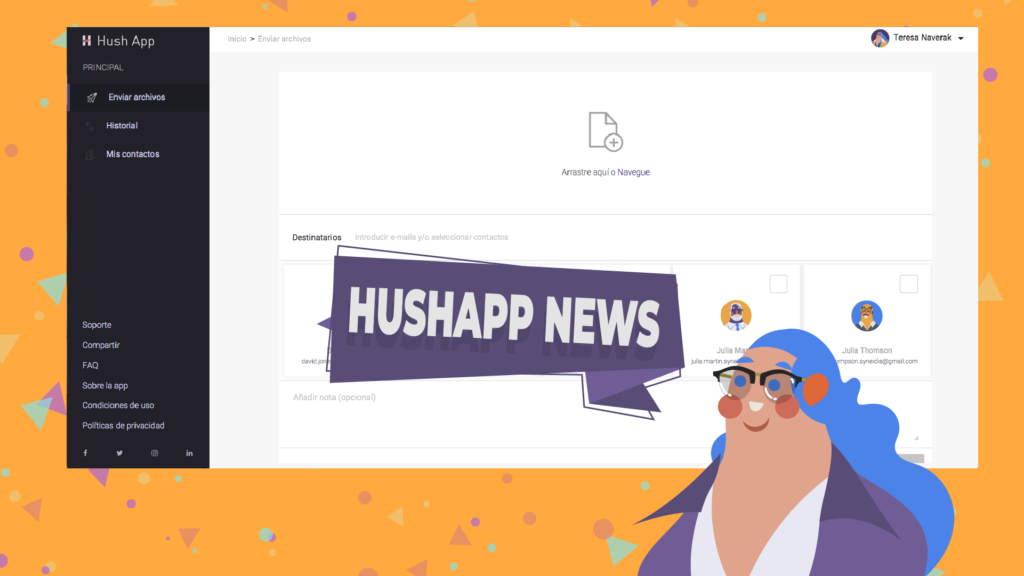
We have news in HushApp! Yes, because every day we work hard to make your experience better and better, so we decided to take this space to tell you about all the improvements we have made to our web version until today.

We are constantly changing, always looking for HushApp to be easy to use and at the same time secure enough to protect the privacy of your files. That’s why our team is committed to making this app as user-friendly as possible and our mission is to keep your information safe.

What’s the news in HushApp?

Here is a summary of what we have improved for you …

  • Some changes in the transfer process: as part of the progress in the user experience, we have improved this functionality, since it is one of the most features of the app. Now the send button is active from the moment you add a file. If you click on it, it will validate the recipients and show you some warnings and indications in case they are necessary, so you know at all times what you have to do.
  • Messages at the beginning and at the end of the encryption process: When you make a transfer, a message will appear at the beginning and at the end of the process, indicating the number of files you are sending and the number of recipients that you chose. A way to better visualize what you send and who you send it to.
  • We improved the password field to transfer to unregistered users: As you know, in Hushapp you can send your files even to people who do not use the application and are still protected. To do this, you must create a password and send them by other means, so that they can receive your files securely. We have facilitated this process in several aspects:
  • Now you can see an information button, which opens a drop-down and explains what you should do when you send a message to unregistered users.
  • We also have a more descriptive placeholder, so you know where and what you should enter in this field.
  • We also added an eye icon that allows you to hide or show the password, so you can see what you write, if you are in a secure environment.
  • The history of transfers received shows you the expiration of each transfer: now you know how much time you have left to download the files that were sent to you.
  • The clickable area to add files to a transfer: A larger space to click and add your files, which makes the sending process faster and easier.
  • Improvements for companies and work teams: On this issue, at Hushapp we are working hard to improve the experience for work teams. One of the improvements is now you can send a reminder to a colleague to complete the registration process.

To explain it in simpler words, if in a company all employees use HushApp and someone tries to send a file to a colleague who has not yet completed the registration process, HushApp will send a reminder to them to activate their account, thus they will be able to receive the files in a secure way.

Take a look at our web version and feel free to leave comments on what you think about this news in HushApp!

Filed Under: HushApp News, Sin categorizar Tagged With: cybersecurity, encryption, HushApp, password, send files, send files securely, Syneidis

9 tips to use Facebook safely and not compromise your privacy

April 3, 2019 by HushApp Team

9 tips to use Facebook safely and not compromise your privacy

Social media has changed the way we communicate today, but it is still controversial as far as user safety is concerned. Facebook is the best example, not only because of the immense number of users it has but also because of the conflicts that the company has experienced recently, which leaves the level of privacy of its users in question. Despite this, some are reluctant to leave the popular network, since it has become an essential way of communication for them. Therefore, the question arises: Is it possible to use Facebook safely without compromising privacy?

These questions are also raised by the imminent need of parents to protect their children, who are regular users of the popular network. However, cyber attacks become more advanced each day and anyone can be the victim of cybercrime through social media: fake news, phishing and other types of fraud frequently occur, and even the most cautious user, can fall into one of them.

It’s time to sharpen your eyesight and go one step ahead of cyber attackers, you can continue to use Facebook safely, by following some simple steps:

How to use Facebook safely? From the basic to the most advanced configurations:

1) Do not accept friend requests from strangers: The first step is to control those who have access to what you publish, therefore, by common sense, it is better to only accept people you know. It is important that parents educate children and make sure that young people do not accept requests from strangers.

2) Set up your profile so that only your friends can see your publications, you can even select specific people to see or not each publication.

3) Avoid publishing information related to your location. Some people use geolocation to show where they are on vacation for example, in any case, if you want to do so, add the photos after returning home, when you are no longer in the place you show.

4) Do not post your phone number, address, names of children or pets, this can be an easy clue for cybercriminals to guess your passwords.

5) Control who can connect with you: If you enter the section “Settings” and then “privacy”, you can control who can connect with you. There you will have several options that you can define in terms of who can see your activity and how they can contact you, for example: you have the option to receive friend requests from everyone or just friends of friends. Previously, Facebook had a “preview” option to know how your profile looked for other users. However, the same platform announced this function is disabled, due to a security incident with this tool.

6) Check the permissions of the apps and websites: In this section, you can see and control the applications and websites that you have connected to your Facebook page. You can see which ones are allowed, delete those that you do not want to use or deactivate the platform completely. If you click on each of them, you can see what kind of information that application or website accesses.

7) Report offensive content: this option is present in many sections of Facebook and serve to allow users to report offensive content, usually just look for the drop-down of the determined section and look for the option “Give Feedback”, then, a member of the Facebook security team will investigate and evaluate if it is appropriate to remove the content of the site.

8) Review in detail the section “Security and Login”: Facebook has added more layers of security to its users, especially to protect the login and prevent potential identity theft. It is important to review the available options periodically. If you go to configuration and then “Security and Login” there are different sections that are interesting and we recommend you to activate:

  • Check from Where You’re Logged In: in this section, you can see all the devices that have been connected, where and when they were connected, that will allow you to identify any suspicious activity in your account.
  • In any case, Facebook will also notify you if there is an unusual activity, such as a connection on an unusual computer. In the section “Get alerts about unrecognized logins” you can determine how you want to activate that notification.
  • You can also add two-factor authentication, either with a login code, through SMS or an authentication application of your choice.

9) Add encryption to Facebook notifications: One of the most advanced and interesting Facebook options is the encrypted notification emails. If you have them activated, you can use PGP encryption to protect these messages from possible intruders.

What can this serve you for? An example could be that for any reason you lost your password and you need to resort to the password recovery mail, with this functionality you would be ensuring that only you can read that email.

A more advanced feature that will require you to understand the encryption topic a bit more. If you succeed, you can enjoy your Facebook safely.

On the web the risks are everywhere, therefore the important thing is to improve our experience, to know the risks and advantages of each application that we use and the sites we visit.

Filed Under: HushApp News, Sin categorizar Tagged With: cyber attack, cyber attackers, cybersecurity, encryption, Facebook, hacker, hackers, phishing, two factor authentication

5 reasons why Hushapp can be useful if you are freelance

January 16, 2019 by HushApp Team

5 reasons why Hushapp can be useful if you are freelance

We have mentioned before how useful Hushapp for your day to day can be. Now, we want to dedicate this space for freelancers, those people who work in the creative world: designers, photographers, editors, copywriters and other professionals who use their creativity for their daily work. Here we give you 5 reasons to use Hushapp if you are a freelance.

We know how difficult it is to be a freelancer today, plus add the fact that you must protect your files, there are several possible scenarios that you must consider: that they get into the hands of some disloyal agency that takes advantage of your work, or to become a victim of some malware because you forgot to update the antivirus, and even worse, the confidential data of your clients is leaked.

Do not suffer anymore! With Hushapp you can streamline your work and at the same time add the necessary protection for your files.

Here are 6 reasons to make you feel safer using Hushapp as a freelance:

  1. Protect the intellectual property of your creation: we know that as a creator, one of your main concerns is that your work is  copied or used without your permission. Keep your work protected in the Hushbox of your mobile device and access them easily and safely. 
    Encryption is easy with HushApp!
    DOWNLOAD
  2. Send your protected files to customers: Within the creative process it is common to make different transfers to your customers, they will be approving or asking for modifications all throughout the creative process which must be protected from the beginning of the conception of the idea, to the final work. With the end-to-end encryption we use in Hushapp, you can share as many times as you want safely, even with those customers who do not have the application, as they will remain protected.
  3. Use the best technology to protect your files: Technology advances in leaps and bounds, and as a freelance you must be up to date with all the necessary technological tools to optimize your work to facilitate daily actions such as sending files to your clients in a safe way.There is no need for complex computer programs to protect your information, which will only take away more time than you need for your work. With Hushapp you have the ideal combination of usability and protection for your files, since we use military-grade encryption standards (AES-256 and RSA-2048) to protect your files and it is also very easy to use.
  4. Zero knowledge technology: To further strengthen the protection of your creations, we use zero knowledge technology, so us from Hushapp have no way of knowing anything about your private information: we can not access your files or your passwords.
  5. Work from home safely: As a freelance you do not have a schedule, you work countless hours from the office, from home, or even a local coffee shop. Feel safe by sharing the files you need from where you are using Hushapp.

We want to make your work easy and safe.

We invite you to try Hushapp …

Filed Under: HushApp News Tagged With: copywriters, creative process, designers, editors, encryption, freelance, freelancers, HushApp, intellectual property, photographers, zero knowledge technology

10 tips to avoid being a victim of a spyware

December 4, 2018 by HushApp Team

10 tips to avoid being a victim of a spyware

Did you know that there are applications that allow you to spy on your mobile devices? Yes, they are called spyware or software to spy on devices. They are applications that can be downloaded by anyone for free with a simple search on the Internet. All you need to do is simply install it on your victim’s device and begin spying!

The capability of these applications might be shocking to learn. They can access all the conversations that are carried out by WhatsApp or other social media, intervene the microphone of your device, know the geolocation, and even activate remote camera to see what happens around the phone at all times.

Imagine a scenario where a guy gives his girlfriend a cell phone, but without informing her, installed a spy application. Through this spyware they can monitor all online activity without the user being aware. Despite this being an extreme example,  in general, people should be aware of their privacy and understand how easily it can be compromised

These types of applications are usually offered to parents to “monitor” their children’s mobile devices, or for a boss who wants to monitor employees. This can undoubtedly generate a great debate regarding privacy.

The only thing we can do is protect our devices from these type of applications, and here we explain how.

How to avoid being spied on with spyware applications?

  1. There are simple signals that can alert you if something strange happens on your cell phone. One of them is the performance of your battery, although it can be due to many causes, if you detect an unusual battery consumption, it is possible that there is an app of this type.
  2. Check the list of applications, if there is any unknown, You can uninstall if you do not need it.
  3. Do not lend your cell phone to strangers, although it seems obvious, it needs to be said. A spyware can be installed very quickly and silently.
  4. One of the easiest and most effective ways is to install anti-spyware applications, these will allow you to detect if the device has installed malicious software. You can also install an antivirus, some computers already come with anti-spyware installed.
  5. Only install applications that come from official stores.
  6. If you already have the suspicion that you are being spied on and you have not managed to eliminate the spyware, a preventive measure is to have the device in airplane mode which will cancel any type of connection to the outside.
  7. Avoid using public Wi-fi: These are an open door for an intruder to access your information. If you need to, here are ways to use a public network more securely.
  8. Check the permission you are giving to each application: Check what permission you give to each application, and if you really need access to the camera or microphone.
  9. If after you have performed all the previous actions you still have suspicions that you are being spied on, you can restore the phone to the factory state.
  10. If the situation is already delicate enough, it will be necessary to report the incident to the police.

Avoid spies of flesh and blood

Even when we apply all security measures to protect your mobile devices, there will always be “spies of flesh and blood”, those who like to take a look (without permission) and review the information in your cell phone. And for this type of spy there is no anti-spy app or sanction.

But if you can make their life more difficult in a very simple way, add and combine more complex authentication patterns, use the actions that are recorded in the device’s sensors as fingerprint or facial recognitions, among other things that hinder access from an intruder trying to spy on your device.

Finally, encrypt your files, keep them safe in applications such as HushApp, so you can access and view the contents on your cell phone. Your files will remain protected within your HushBox.  

Filed Under: HushApp Tips Tagged With: anti-virus, applications, cybersecurity, encryption, HushApp, mobile devices, spy, spyware

8 reasons why you should use HushApp in your day to day

November 27, 2018 by HushApp Team

8 reasons why you should use HushApp in your day to day

We have talked a lot about Hushapp and how it can help you in different aspects of your work. Now we want to show you that our application not only serves for labor issues, it can also be present in your day to day activities to add more protection and security to your digital life in a very simple way. Therefore, here are 8 very simple examples of how you can use HushApp in your everyday.

Basic uses: easy and safe

  1. Every day we accumulate more and more information, and need to find a safe place to store it. With HushApp this problem is easily solved because you can store data on your mobile device, keeping it handy and protected. HushApp easily secures all your files with important information, such as bank data, passwords, personal documents, etc. If you need to send a file to someone, you can do it from the app and they will be protected from the time you send them until your recipients receive it.  
  2. It is not only about protecting what we commonly consider confidential information, in HushApp you can store and send any type of file including photographs, videos, audio, etc. Remember that cyber attacks are becoming increasingly popular and anyone can be a victim. Suppose you lose your phone, if someone unwanted manages to access your device, they can not see anything within your HushBox, so your personal memories will be safe.

HushApp to protect your family:

  1. If we talk about photographs and privacy, surely the first thing that comes to mind are your precious family pictures. It is very common for parents to share those special moments with their little ones in social media for their birthdays, their first steps, when they said their first words and many more things. The issue lies in who can access the image of your kids, and what could they do with those files. When children have access to the internet, the danger is greater, since criminals take advantage of their innocence, they could contact them. Do not neglect yourself! Take charge and keep your minors safe by using safer alternatives like Hushapp to share these special moments.
  2. Children are getting smarter every day and frequently learning new ways to accessing your device. To prevent your children from accessing important files (for example your work documents and deleting them by mistake), keep them safe in your Hushbox and this will not cause you a unneeded headache with your boss 🙂
  3. As you take care of your children, you also can take care of your friends and aditional family, by capturing those special moments. Your Christmas photos, photographs, memories, etc. everything you can store and share with them (even if they do not have the application) is easily secured.

We do not want to know about your private life, we just want to protect it:

  1. Let’s be honest, everyone has secrets that they desire to be kept hidden. We are not all saints and we have a dark side, whatever it is, nobody can force you to expose your privacy. At HushApp we want to protect your private life, regardless what you do, because we have no way of knowing. We use zero knowledge technology therefore we can not access your files or your passwords.

Facilitate your work from home: 

  1. As mentioned previously, HushApp is clearly not just a business tool, however for the many times work does accompany us home, 
    Encryption is easy with HushApp!
    DOWNLOAD
    you might be asked to send documents to customers or suppliers. Or maybe you forgot something and decided to finish it out of the office. Or even you might be self-employed and work from home. HushApp is there to accompany you at all times. 
  2. If you are a fan of technology, and want to be at the forefront of everything that is the digital world, do not get stuck in the past. It is no longer necessary to have complex programs that only computers know how to use. Hushapp uses military grade encryption and even with such a complex system it remains super easy to use!

Encryption is easy …

We invite you to try Hushapp …

Filed Under: HushApp News Tagged With: encryption, HushApp, privacy, secure send files, send documents, send files, send files securely, share documents., share files, share files securely

What is a VPN connection and why should you use it on your devices?

November 20, 2018 by HushApp Team

What is a VPN connection and why should you use it on your devices?

VPN connections are becoming increasingly popular, they are no longer tools only used  in the business world, now, many people concerned about their security have begun to use this type of connection to protect themselves from cyber attacks. What is a VPN connection and what can it do for you?  

A Virtual Private Network, is a type of network in which an extension of a private network is created for access to the Internet. To explain it in a simple way, it could be said that it is an “invisible cable” that joins the user with another location, this cable is called a “tunnel”, and it is the channel where the information will travel when encrypted.

How does it work?

Normally when you connect to the internet, you do it with your service provider which will take you to the website you want to visit, but this information always goes your provider’s servers who have access to this information.

The VPN will allow you to connect with an encrypted connection, so the data you view can not be seen or decrypted by your provider, in this case it will appear that the VPN is the one that is connected to those sites, not your device.

Types of VPN networks

There are two types of VPN networks: client-based and network-based.

– Client-based VPN: Allows the user to connect to a remote network through an application. They create a username and password, next an encrypted channel is automatically created between the computer and the network, where the data exchange is executed.

– Network-based VPN: It allows the user to connect different networks to each other through the Internet. This type of VPN network is used by companies that have offices in different cities and parts of the world, in order to connect with each other and share information in a secure way.

Advantages of using it:

  1. You can access your company’s network safely if you are traveling, for example if you are at home you can see the company’s shared files from your device safely.
  2. With the VPN you can hide and protect your data because the data travelling is encrypted, therefore there will be no way to track your activity. It is ideal when you need to make a banking transaction where sensitive data is  handled. This option is the reason why it is recommended to have a VPN when it is necessary to connect to a public Wifi.
  3. Avoid censorship and geographic blocking: In many countries restrictions are placed on Internet information. It is possible that a web page only allows access if you are browsing from a particular country, and if you are not there you can not visit the site. With a VPN hosted in that country, it will appear that you are browsing from the same place where the website is located, so you can access the content without any problem. Similarly, if in the country where you are there are censored pages, you can connect to the VPN of another country to access that information.
  4. It works for all applications and websites, since it directs all internet traffic through its own channel.

Not everything that shines is gold …

Certainly the VPN network adds a layer of security that gives greater protection to your Internet connection, however, not everything that shines is gold. While browsing with a VPN, your browsing data remains incognito for your provider, but not for the company that manages the VPN.

Therefore you should not trust the security of your information only to this type of connection because if you fall into a dishonest company, they could keep records of your information or even sell it to the highest bidder. Therefore, the ideal action is to select the a VPN with the best reputation on the market.

There are many types of VPN connections on the web, while some are free others payment. To choose the proper one, it is important to take into account the speed, reliability and security offered by the service.  

Add more security to your files

No system is foolproof, the only thing you can do is add additional security layers to further protect your information. You can use other applications such as Hushapp when you want to share important documents through the internet. This application allows you to protect each file individually and easily. We also work with Zero Knowledge Technology, so we have no way to know your information or your passwords.

We invite you to try Hushapp …

Filed Under: HushApp Tips Tagged With: encryption, geographic blocking, HushApp, public Wifi, Virtual Private Network., VPN, VPN connection, VPN network, zero knowledge technology

What is end-to-end encryption and how do we use it in HushApp?

October 23, 2018 by HushApp Team

What is end-to-end encryption and how do we use it in HushApp?

Have you ever heard about end-to-end encryption? If you use applications such as Whatsapp or Telegram, you are already using this type of technology. This term has become recognizable thanks to these applications, but not only do they use this system, and besides the people who do not understand it, some have the ability to understand it is associated with a higher level of security. What is end-to-end encryption and what is it for?

What is end-to-end encryption?

Known in English as End-to-end encryption (E2EE), it is a communication system where only the users who communicate can read the messages. In principle, it prevents potential spies, including telecommunications service providers, the internet or any communication service, from accessing the cryptographic keys necessary to decipher the conversation. It is designed to overcome any attempt of surveillance or undesired alteration, since no third party will be able to decipher the data that is being communicated or stored.

To explain it in a simpler way, it is an encryption system that keeps the information protected in all phases of the process meaning that the only people who have access are the sender and the receiver.

Advantages and disadvantages

The main advantage of this type of system is to protect your information and privacy. Including anybody behind a service provider, only you and the recipient you choose will be able to access those files.

One of the great advantages is that companies that use end-to-end encryption can not deliver their clients’ text messages to authorities.

This brings a possible moral issue, that being that criminals may use such security to commit criminal activities. Although the debate may be extended, the advantages in terms of privacy may outweigh the concern of criminal activity.

Why do we use end-to-end encryption in HushApp?

Many messaging tools use this type of encryption to make communications more secure and private. However, it is important to note that this encryption system only offers a high level of security as long as it is implemented correctly. There are cases of recognized messaging companies who make promotions for using end-to-end encryption but aren’t even using it. They have suffered serious security breaches, due to the implementation they have made of this type of encryption. 

Give HushApp a Try!
BOOK A DEMO

To strengthen your security we use the passphrase, this is where we protect your files and transfers, the passphrase is the key used to authenticate the user. When you register on your device, a secret key is generated that will help you decipher the encrypted content you receive and or send.

This secret key is created and stored in the user’s device. Thus, only those who know the passphrase can recover the secret key which unlocks the content. When you log in again, you will be asked for your passphrase and the encrypted secret key will be decrypted with this same passphrase.

With HushApp you are the one in charge of giving more security to your files because the more complex the security passphrase you choose, the higher the level of protection. You can even know if your passphrase is sufficiently robust and complex to be deciphered, because the application assigns your profile a yellow (if regular) or green (if strong) shield based on this criterion.

That is why it is important that you do not forget your passphrase. Our application implements zero knowledge protocol, meaning we have no way to access your files, passwords or passphrases. So, if you cannot remember your phrase, you will not be able to recover your files.

We invite you to try HushApp …

Filed Under: HushApp News, Sin categorizar Tagged With: cybersecurity, E2EE, encryption, end to end encryption, passphrase, privacy

3 things you can do in the new version of the HushApp web application

September 18, 2018 by HushApp Team

3 things you can do in the new version of the HushApp web application

We have news in HushApp! We have mentioned the advantages of  the zero knowledge technology in HushApp and how incorporating a passphrase provides for additional security. The HushBox makes it easy to manage contacts by giving the option to send to HushApp users or non-users. Now we have made some improvements and we come to introduce to you the latest updates to the HushApp web application.

We have implemented high-level encryption methods, seeking a simple and transparent process for the user, without affecting the efficiency of your mobile or computer. Therefore, security, usability, and a good user experience are our priorities.

The new presentation in our web application simplifies and unifies the processes to send and share files in an easy and safe way, while still managing to follow our principles.

This is the news that we bring from the HushApp web application

After logging into the web, either with your email and passphrase or with one of the available social accounts, you will enter the main screen to make your submissions. You then will be able to attach files to send to others via email. You will also notice that you can see in the middle of the screen, the tabs of your contacts that you have previously added, and that if you wish to add an additional one in the “recipients” section, it will appear automatically. 

Start using HushApp today.
SIGN UP

When you have several contacts, you will notice a bar that you can slide to the right to see all the people added. Since they will be easily accessible, it will be painless for you to find the contacts to whom you want to send.

In addition, there is a new functionality to add contacts that are non-users of HushApp. If you would like to send documents to non-users you simply need to select the “recipients” section and create a password or passphrase. Then inform that contact of the password so that they can access your file.

Below the contacts, we have another new feature, a space to add a note, which is also sent encrypted. This new functionality is optional, but allows you to customize the message. Any details about transfer or additional information about the contents is recommended, however, HushApp users seeking to send to a non-user should not include the password or passphrase needed to access their files.

As a last step, just click on the send button and go! Your files have been sent securely, and no one other than you and the recipients you chose will be able to access the information.

People who seek to use applications prefer the process to be easy and efficient. At HushApp, we work every day so that when you need to send a secured document you can do so pleasantly and above all conveniently.

We invite you to try the new version of the HushApp web application …

Filed Under: HushApp News Tagged With: encryption, HushApp, HushApp web application, HushBox, send files, share files, zero knowledge

  • Page 1
  • Page 2
  • Next Page »
logo HushApp made in EU

HushApp allows to protect and send files safely without complications, in any platform. Sign up for HushApp and enjoy the peace of mind of end-to-end encryption.


Product
Features Pricing Android App iOS App coming soon Web App
Users
Book a demo FAQ Guide Support
Business
Hush for Business GDPR Use cases
About
About us Jobs Terms of Use Privacy Policy Legal
This website uses cookies to improve your experience. We'll assume you're ok with this, but you can opt-out if you wish.Accept Read More
Privacy & Cookies Policy
Necessary Always Enabled