• Skip to content
logo logo
  • Blog
Login SIGNUP

passphrase

Now easier and safer to use: Meet the 5 new HushApp features

May 30, 2019 by HushApp Team

Now easier and safer to use: Meet the 5 new HushApp features

Every day we work to make your experience with our solution simple and at the same time provide the highest security and privacy for your confidential information. Therefore, we want you to know the new HushApp features, each one designed to streamline the communication processes between users without losing the ease of use and with total security.

Each step count, for example, to enter an email and password implies a time that usually we do not want to invest, although it seems little, we simply do not want to repeat it again and again. Therefore, from HushApp you can log in with your email accounts (such as Gmail or Microsoft) and you can also reset your passphrase securely, which will make your experience with our solution much more pleasant.

We introduce you the 5 new HushApp features

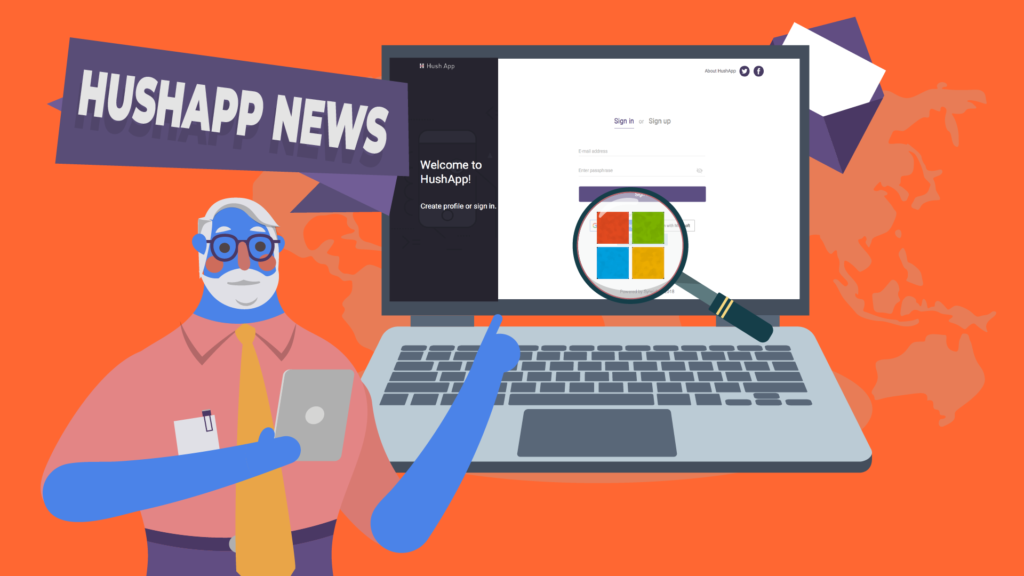
1) Integration with Microsoft tools: From now on, you can use your Microsoft account to sign in and access HushApp. In addition, you can manage your Microsoft contacts within HushApp by clicking on a new button available in the contacts section. Once you accept the appropriate permissions, we will show you which of your contacts are already HushApp users so that you can import them and which ones you can invite to join our community. 

If you have an Outlook, Office 365, Skype, or OneDrive account, … you can use it to access HushApp!

In addition, we are working on additional integrations with Microsoft. 

Give HushApp a Try!
BOOK A DEMO

2) Now you can reset your Passphrase: If you have forgotten it, or if you are entering a wrong password, a message will appear where you can click and send an email to HushApp Team to reset it.

Please note that from HushApp we will initiate an identity verification process for the privacy and security of our clients because that’s our number one priority.

3) You can send much longer messages: Now you can send longer messages to unregistered users who can then view them without problems on the download page after decrypting it.

4) Customize your profile picture: Now you can customize your profile picture in the settings section of your account. Change your photo whenever you want and identify your account as well as those other users.

5) Sending messages without needing to attach files: Another HushApp feature to highlight is that it’s now possible to send encrypted messages to your contacts without needing to attach files. This allows you a fluid and secure communication with other users from the application.

We also improved the transfer flow to adapt it to this new functionality, giving priority to the recipients and the message.

We will continue working on many other new HushApp features and we will soon tell you …

What do you think about our news? Take a look at our web version and feel free to leave comments on what you think about these new features!
Filed Under: HushApp News Tagged With: email, files, Gmail, HushApp features, Office 365, OneDrive, Outlook, passphrase, profile picture, send files, send files securely, share files, Skype

What is end-to-end encryption and how do we use it in HushApp?

October 23, 2018 by HushApp Team

What is end-to-end encryption and how do we use it in HushApp?

Have you ever heard about end-to-end encryption? If you use applications such as Whatsapp or Telegram, you are already using this type of technology. This term has become recognizable thanks to these applications, but not only do they use this system, and besides the people who do not understand it, some have the ability to understand it is associated with a higher level of security. What is end-to-end encryption and what is it for?

What is end-to-end encryption?

Known in English as End-to-end encryption (E2EE), it is a communication system where only the users who communicate can read the messages. In principle, it prevents potential spies, including telecommunications service providers, the internet or any communication service, from accessing the cryptographic keys necessary to decipher the conversation. It is designed to overcome any attempt of surveillance or undesired alteration, since no third party will be able to decipher the data that is being communicated or stored.

To explain it in a simpler way, it is an encryption system that keeps the information protected in all phases of the process meaning that the only people who have access are the sender and the receiver.

Advantages and disadvantages

The main advantage of this type of system is to protect your information and privacy. Including anybody behind a service provider, only you and the recipient you choose will be able to access those files.

One of the great advantages is that companies that use end-to-end encryption can not deliver their clients’ text messages to authorities.

This brings a possible moral issue, that being that criminals may use such security to commit criminal activities. Although the debate may be extended, the advantages in terms of privacy may outweigh the concern of criminal activity.

Why do we use end-to-end encryption in HushApp?

Many messaging tools use this type of encryption to make communications more secure and private. However, it is important to note that this encryption system only offers a high level of security as long as it is implemented correctly. There are cases of recognized messaging companies who make promotions for using end-to-end encryption but aren’t even using it. They have suffered serious security breaches, due to the implementation they have made of this type of encryption. 

Give HushApp a Try!
BOOK A DEMO

To strengthen your security we use the passphrase, this is where we protect your files and transfers, the passphrase is the key used to authenticate the user. When you register on your device, a secret key is generated that will help you decipher the encrypted content you receive and or send.

This secret key is created and stored in the user’s device. Thus, only those who know the passphrase can recover the secret key which unlocks the content. When you log in again, you will be asked for your passphrase and the encrypted secret key will be decrypted with this same passphrase.

With HushApp you are the one in charge of giving more security to your files because the more complex the security passphrase you choose, the higher the level of protection. You can even know if your passphrase is sufficiently robust and complex to be deciphered, because the application assigns your profile a yellow (if regular) or green (if strong) shield based on this criterion.

That is why it is important that you do not forget your passphrase. Our application implements zero knowledge protocol, meaning we have no way to access your files, passwords or passphrases. So, if you cannot remember your phrase, you will not be able to recover your files.

We invite you to try HushApp …

Filed Under: HushApp News, Sin categorizar Tagged With: cybersecurity, E2EE, encryption, end to end encryption, passphrase, privacy

logo HushApp made in EU

HushApp allows to protect and send files safely without complications, in any platform. Sign up for HushApp and enjoy the peace of mind of end-to-end encryption.


Product
Features Pricing Android App iOS App coming soon Web App
Users
Book a demo FAQ Guide Support
Business
Hush for Business GDPR Use cases
About
About us Jobs Terms of Use Privacy Policy Legal
This website uses cookies to improve your experience. We'll assume you're ok with this, but you can opt-out if you wish.Accept Read More
Privacy & Cookies Policy
Necessary Always Enabled