• Skip to content
logo logo
  • Blog
Login SIGNUP

protect files

Everything you need to know to have a cybersecure trip

July 23, 2019 by HushApp Team

Everything you need to know to have a cybersecure trip

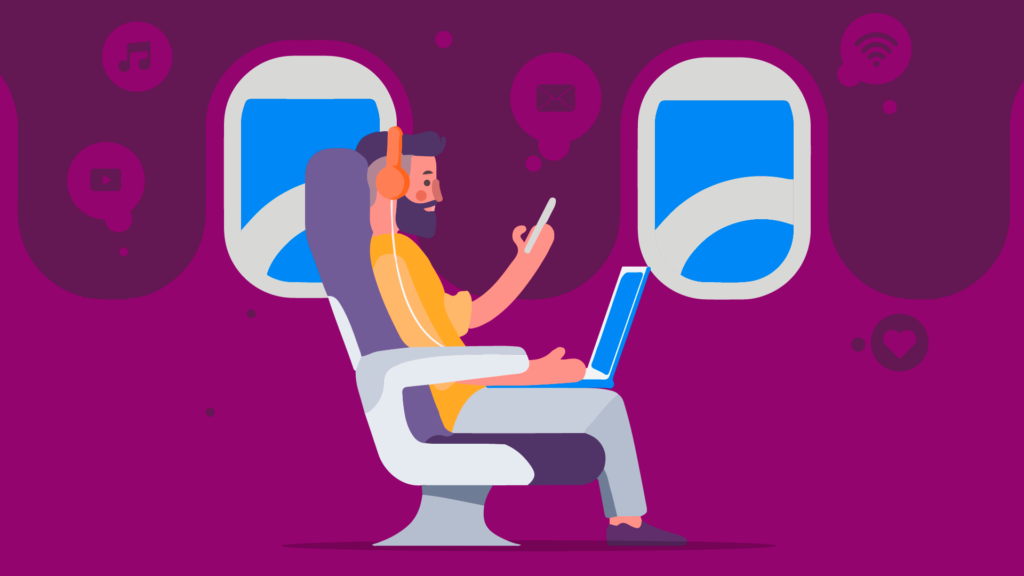
Cybersecurity is a subject that must be taken seriously at all times, even when you take a trip. When organizing your vacation, it is important to take into account all of the necessary safety precautions in order to have a cybersecure trip.

Usually we take our mobile devices everywhere and tend to use them often, both at home and at work. During this time one rarely stops to consider that we will be in areas that do not offer the same level of security that they were expecting. This means that if certain precautions aren’t taken, one could easily become the next victim of a cyberattack.

You don’t need to cancel your well-deserved vacation, just follow these simple tips and enjoy your experience from start to finish.

Tips for a cybersecure trip

1. Block your devices.

The first recommended measure is the simplest. Block your devices with the options available to you, using either a PIN number or a fingerprint ID. While traveling, change them regularly.

2. Be cautious of public Wi-Fi.

When traveling, we are always looking for a Wi-Fi connection. This is why it is important to exercise caution with free access networks as they tend to be the most dangerous. It is best to use Wi-Fi encrypted and to ask the hotel about the security protocol they use before connecting.

3. Avoid accessing your personal data in non-secure connections.

If it is necessary to use a public Wi-Fi connection, avoid accessing personal accounts or confidential data while you are connected to that network. Do not make purchases online or click on advertising banners, and if possible, try not to consult bank accounts.

4. Disable automatic connection.

Most phones, tablets and computers have a configuration that allows you to automatically connect to Wi-Fi networks available in your area. This exposes you to unsafe internet connections without you even knowing it. Before traveling, change this setting so that you must connect your devices to the internet manually.

5. Share your location in a limited way.

It is common to use social networks to share your location with your followers, this can be a threat to your safety. Pointing out your location can signal to criminals that you are not at home or at the hotel where you registered. Limit the information you publish online to avoid these types of threats.

6. Deactivate Bluetooth connectivity.

Like automatic Wi-Fi connectivity, Bluetooth connection can also be a risk. Bluetooth signals can come from anywhere and if your device has it on, nearby attackers can access your mobile. Keep your Bluetooth disabled as much as possible while traveling abroad.

Cybersecure trip for business people

Business travelers are more vulnerable to a cyberattack due to the fact that they handle confidential information for companies, information that could be very valuable to cybercriminals. In their daily work inside or outside the office, they share sensitive organizational information. If the necessary measures are not taken, it could have serious financial consequences.

If you are an executive on a business trip, some measures to have a cybersecure trip are:

  • Share your files from secure applications
    If you need to share or send files from abroad, you should use an application with encryption system such as the HushApp. This will allow you to do send easily and safely from anywhere you are.
  • Install and update the operating systems and your antivirus license
    This is a measure that must be taken inside and outside the home. Make sure you have installed a protection system on your computer. In addition to keeping it and your operating system updated, this level of security applies to applications on your mobile as well.

Take your devices that do not store confidential information and only the necessary documents that you want and need to work with.

International regulations

In addition to implementing these security measures, be aware of laws and regulations involving cyber security in each country you plan to visit. Remember that when we travel we are subject to their legislation.

A suggestion to reinforce your security is to buy a data plan to use to in your destination country, even though it may be limited. This will allow you to check messages, confirm check-in times and keep up to date with other important issues

Whether you are a frequent traveler or not, for business or pleasure, do not let your guard down in terms of cybersecurity. Following these smple steps will allow you to enjoy your trip without compromising your personal or business information.
Filed Under: Cybersecurity Business Tagged With: business travelers, cyberattack, cybersecure trip, personal data, protect files, public Wi-Fi

How can my online law firm achieve reliability?

July 5, 2018 by HushApp Team Leave a Comment

How can my online law firm achieve reliability?

Having an online law firm requires adapting to new technologies and new populaces. As long as there is a sector that does not trust to contact via internet, another important group will seek to solve their legal problems, often through the Web itself.

Both groups share the same concerns, the confidentiality of information and the agility with which their case is resolved.

The environment faced by online law firms

To achieve trust and agility in customer service, this type of law firm must adapt to needs that arise in the digital environment:

– New business models and new legislations adapted to the field.  

– Changes in the customers’ demands, who are growing increasingly used to the speed of online procedures.

A new lawyer’s profile, with the ability to take their work to digital transformation.

Regulations on the protection of personal data (GDPR for example).

The cybersecurity of the information handled by the office.

Some aspects to consider to improve the trust in an online law firm could be:

Access: Clients seek accessibility and flexibility from the lawyers, new technologies can help the firm to improve its services, using tools that allows them to connect them easier and faster with customers: video calls, text messaging, cloud storage and other online transfers are some examples, always taking into account the security measures necessary for its use.

Globalization: The advantage of being an online firm is having the option of reaching a wider audience far beyond theits geographical area where it is located,  locationas well as facilitating contact with those who are nearby,  which would allowallows them to save hours of travel, traffic, and money.

Do not lose personal contact: It is important not to lose personalized treatment, although technology allows work to speed up. In addition,  clients should contact the lawyer easily, and generate more confidence.

Digital and secure solutions: It is also necessary to use technological tools to streamline the management of internal work to in order to facilitate communication and ensure the protection and security of customer files. It is important to implement a system that allows the encryption of the files that contain customer data andwhile implement forensuring a secure file exchange.

Applications such as HushApp can help online law firms to protect the confidential information of their clients,  in an easy and secure way. Since it allows sending encrypted files easily and there is no need for the client to sign up.

Having an online law firm should not represent a threat to the safety of customers. , otherwise, tThe good use of digital tools will generate an approach to them,offer them an approach which will allow you to adjust to each of your needs. The most important thing is to have the right channels to earn their trust.

Filed Under: Cybersecurity Business, Sin categorizar Tagged With: encryption, encryption system, exchange files, lawyer, online lawyer, protect files, send documents, send files securely, share documents.

4 Things you can do to take advantage of your HushApp contacts

June 28, 2018 by HushApp Team Leave a Comment

4 Things you can do to take advantage of your HushApp contacts

We introduced you to the HushApp contacts, one of the most interesting features of our app. It is one of the few transfer applications where you can manage your contacts in a very simple way, while also guaranteeing that your files are protected through the entire transit process thanks to its end-to-end encryption system.

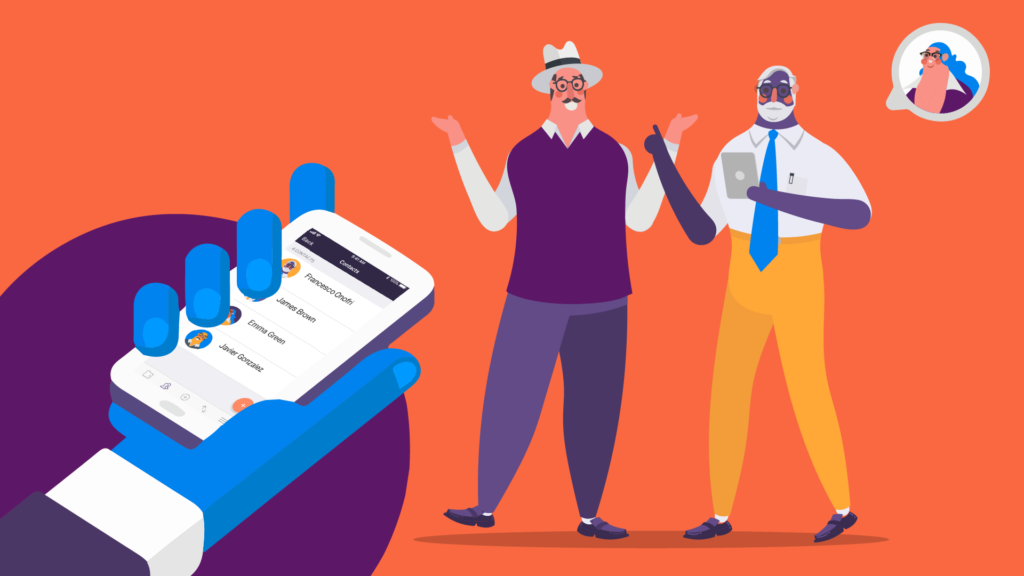
HushApp contacts have a section within the application that you can easily locate in the lower section of the screen, on the left side, right next to your Hushbox. Once entered, you will be able to visualize them and we will show you how to handle them.

One of the advantages of the Android version is that it will automatically show you all the contacts you have in your phone’s calendar. This means that you don’t have to add them again; you can also add others if you want.

1) Add your HushApp contacts

When you access this section, you will have an option to add (orange button with the + symbol) located in the lower right part of the screen. There you can add your contact,. i If they are already registered to the application, just by writing the first letters of their name will appear immediately, click on the “add” button and itthis contact will alreadybe placed be among your existing HushApp contacts.

You can notice that yourYour contacts are identified in the same way in your personal agenda, it even includes their avatar, so that you can locate them easily.

2) Secure sending with your HushApp contacts

Sending files to your contacts from the HushApp is very simple, you. You just simply have to choose what you want to send from your Hushbox or upload them through the Dashboard (the purple screen located in the middle section at the bottom of the app). Then, select who you want to send the information to by clicking on the people chosen.

3) Sending to contacts that do not use the application

You can also send to acquaintances who do not use the application, you only have to add their email address in the same contacts section.

Start using HushApp today.
SIGN UP
The only step that must be taken is that you will have to add a password and send it through another source in order for them to access the information sent. This will guarantee that your files will be safe from falling into unauthorized hands.

When making a transfer from the Android version, you can add a note to any of your contacts if you wish, with the peace of mind that this note can be read only by you and your recipients.

4) Control transfers of your contacts

Another advantage of being able to manage your HushApp contacts, can be found in the  is in the “Received” tab, . Here you will be able to control the sent transfers. You can see the date and time of each transfer, and  and who sent it to you, all while having always with the peace of  mind that your files remain are safe and that nobody but you can access them.from anyone unauthorized.

Do you want to know more about HushApp? Watch this simple tutorial

Any additional questions contact us through: [email protected]

Filed Under: HushApp News, Sin categorizar Tagged With: HushApp, HushApp contacts, manage contacts., protect files, Secure sending, send files

6 tips to protect intellectual property on the internet

June 26, 2018 by HushApp Team Leave a Comment

6 tips to protect intellectual property on the internet

It is not an easy task to protect intellectual property, and as an artist, the internet can be a double-edged sword. On one hand it is a way of diffusion assured to announce your work, but on the other hand, you also run the risk of coming face to face with one of the greatest fears of any creator: the violation of your copyright.

Surely you have heard this debate between content access and copyright protection. On one side many people are in favor of diffusion and against intellectual property. This camp argues that art should be shared with society otherwise it would not be art, but what about the rights of an artist? How can you protect your creativity and effort?

It is important to know the rights you have regarding the intellectual property of your work and how you can protect it.

What is intellectual property?

The intellectual property right affects unique creations, but not industrially or in a series produced, it reflects the personality and spirit of the author. These are personal and/or patrimonial rights that protect your creation, guaranteeing its disposition.

It can be applied to everything involving creative works such as: literary works, theater plays, films, artworks, drawings, paintings, photographs, sculptures, architectural designs, softwares, and video games among other thing.

Certain topics like ideas, procedures and operation methods are excluded from this right. In addition, the protection begins during the work’s inception, and lasts throughout the life of the author up until 70 years after he/she’s death.

Each country has its copyright laws, and although they are similar, it is important to know what they are and how they register your work. In Spain, for example, one of the most important is the SGAE.

On the internet, the artwork has more reach and it is more difficult to control, so what can you do to protect intellectual property on the internet?

Tips to protect intellectual property on Internet

If your artwork is digital (graphic design, illustrations or digital photos) or physical (paintings or sculptures) it is advisable to have a digital photographic record. In both cases, you can follow these simple tips.

1) Use Creative Commons for non-commercial use
It is essential for published images on a web page to maintain a Creative Commons license for non-commercial use. This means that while everybody will be allowed to download or make changes to the image they cannot legally publish or take credit for the image or changes made to it.

This is the most restrictive option of Creative Commons. In addition to Creative Commons, there are other licenses where you can define handling and modifications of images by another user while continuing to protect your authorship.

2) Convert images to Flash
This option does not allow you to download or copy photos from the web before uploading the images and converting them into flash slides. This is done through a special converter or by hiring a web designer.

3) Watermark your images
Use a watermark with your logo or name on the image, you can also add the symbol © or the abbreviation “Copr”, with the year it was made. Try to make it visible, so that it can not be edited or cut easily. Although some artists do not like to add it for aesthetic reasons, it will make it clear who the author is.

Showing your work to clients:

If you want to send your works directly to a client, you are also running the risk that they may plagiarize your work or get it into the wrong hands, in this case, you could take other measures to reinforce your security:

4) Sample images and low resolution:
In addition to applying watermark or grant Creative Commons licenses, you could send some samples in low resolution, you may lose quality, but at least you keep the work’s essence. Another suggestion is to select some images and give them other licenses less restrictive to share with customers.

5) Send your works with secure applications:
Another danger of sharing artwork online is that they could be intercepted by a hacker and reach unwanted hands. One way to send your digital creations to specific customers is by using tools that allow you to send files in a secure way, using encryption systems that guarantee your files reach the recipient you choose.

With The HushApp, you can select your artworks with the original quality, send them to your client, even if they are not a user of the application, you only need to add their email address. Due to its end-to-end encryption technology, there is no way for anyone to access the files, except you and the recipient.

It is difficult to protect intellectual property in a globalized world where laws change constantly, but at least you can take measures to clarify your authorship and control their diffusion.

Filed Under: Cybersecurity Business Tagged With: copyright, copyright laws, intellectual property, intellectual property on Internet, Protect artworks, protect designs, protect files, Protect intellectual property, send files, share files

logo HushApp made in EU

HushApp allows to protect and send files safely without complications, in any platform. Sign up for HushApp and enjoy the peace of mind of end-to-end encryption.


Product
Features Pricing Android App iOS App coming soon Web App
Users
Book a demo FAQ Guide Support
Business
Hush for Business GDPR Use cases
About
About us Jobs Terms of Use Privacy Policy Legal
This website uses cookies to improve your experience. We'll assume you're ok with this, but you can opt-out if you wish.Accept Read More
Privacy & Cookies Policy
Necessary Always Enabled